Automatic supplier orders
I-CASH is a complete solution for managing sales, deliveries, inventory and other key business processes. To make your work as managers easier, we have added a new feature—automatically ordering products from the last supplier.
How does automatic ordering work?
Automatic ordering in I-CASH analyzes the quantities sold of a given item over a specified period and lets you generate a new order to the most recent supplier of those items. The system automatically adds the same quantity at the last purchase price, making it much easier to maintain current inventory levels.
Benefits of automatic ordering:
- Optimizing stock levels: The system orders precisely the required quantities, reducing the risk of excess stock or shortages.
- Saving time and effort: Automatic order generation eliminates manual calculations and ordering.
- Better delivery organization: Orders are based on current data, making it easier to maintain consistent, effective supplier relationships.
Steps for using automatic ordering
Access check
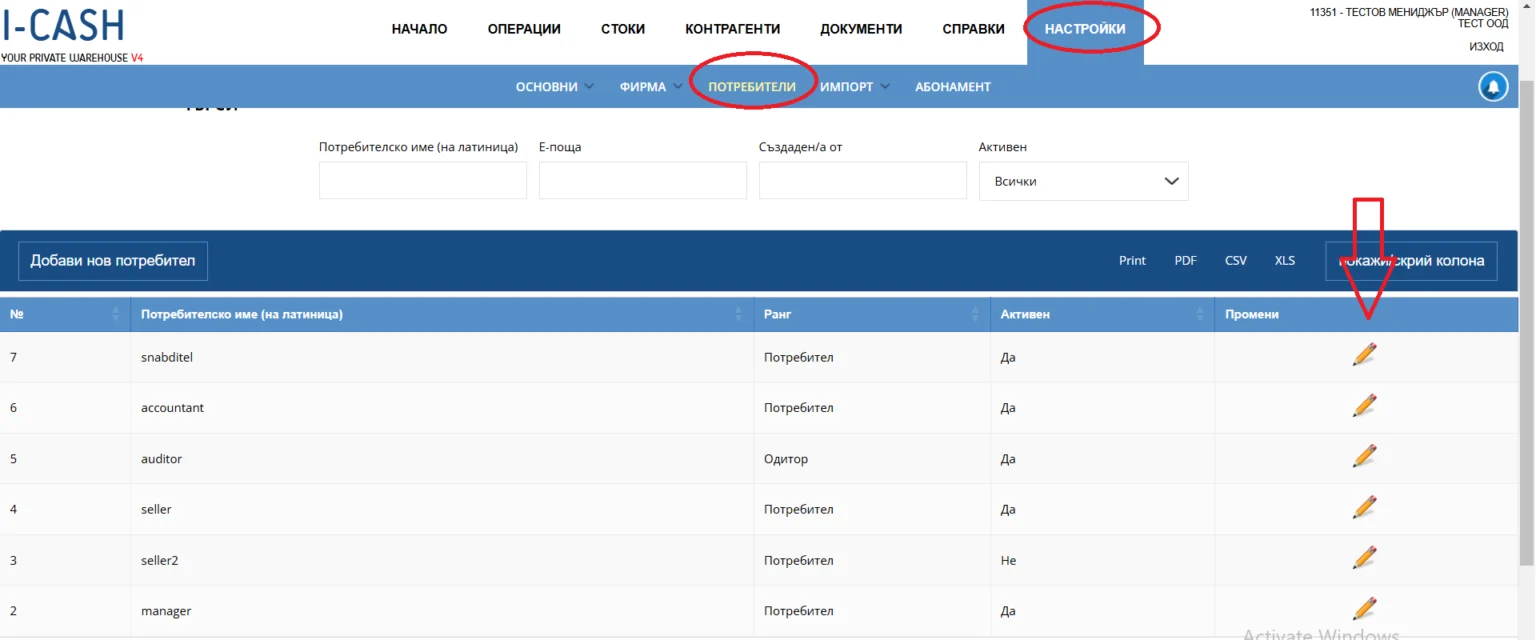
Make sure you or the employee generating the order has access to this feature. It is available in the Standard, Production and Restaurant packages. A user with the Manager position has access by default. Other positions require specific roles to be enabled. This is done through:
- Settings menu > Users submenu —select the desired user with the “Edit” option (pencil).
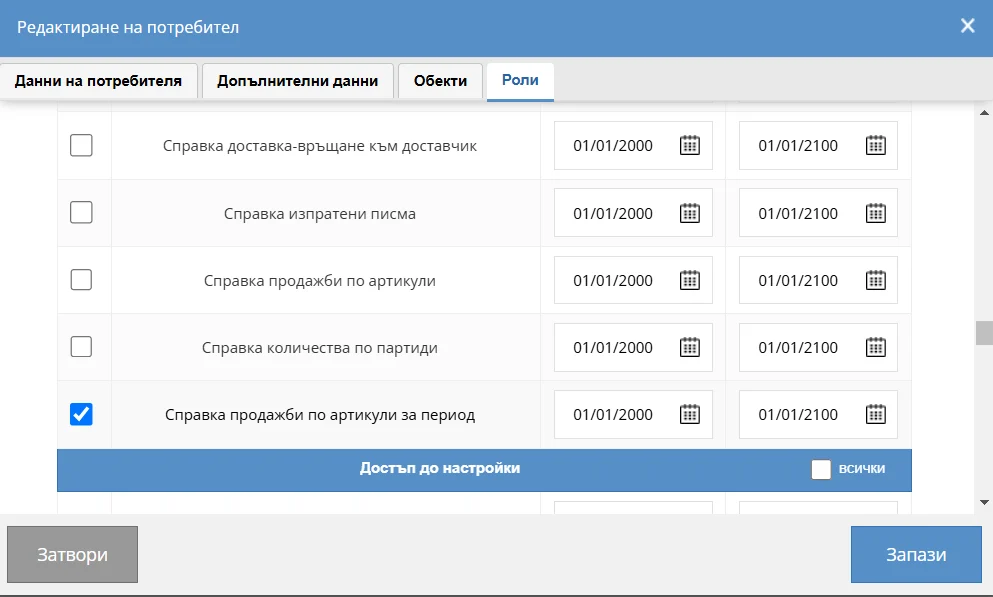
In the 'Edit user' dialog, open 'Roles' and enable 'Purchases' and 'Sales by item for period report'.
Data preparation
For automatic orders to work correctly, data on items, business partners, previous deliveries and completed sales must be entered. The system uses these data to calculate the quantities needed for ordering.
Creating an order
An automatic order can be created from a report “Item sales for a period” in the “Reports” menu > 'By item' submenu. To activate the “New order” field:
- Select the supplier to receive the order in the Last supplier field.
- Specify the location where items will be delivered in the Location field.
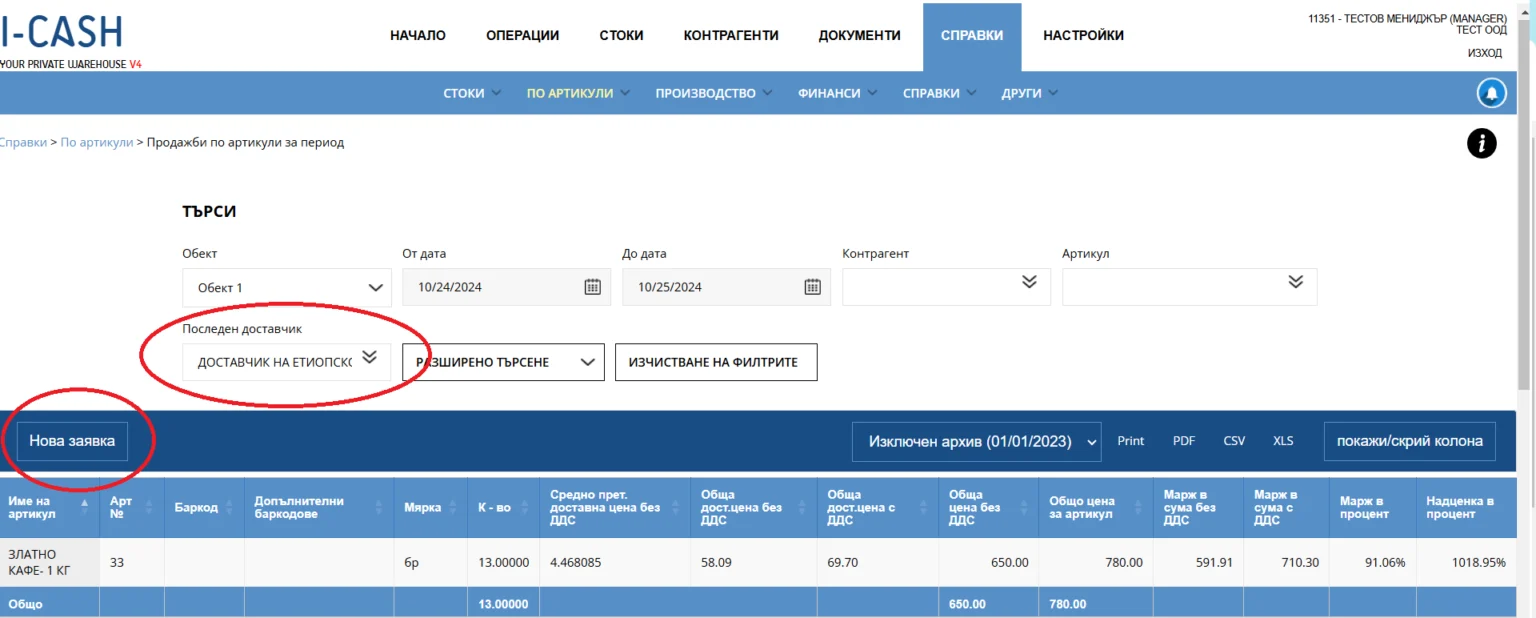
Selecting “Last supplier” displays all items for which this business partner was the most recent supplier, together with their details, such as purchase price, selling price, margin and more. Use the filters to tailor your search: choose a period, a specific item group and so on.
After setting your preferences, click 'New order'. I-CASH will automatically generate a purchase order to replenish all quantities of the selected items sold during that period. You can edit the order before finalizing and sending it.
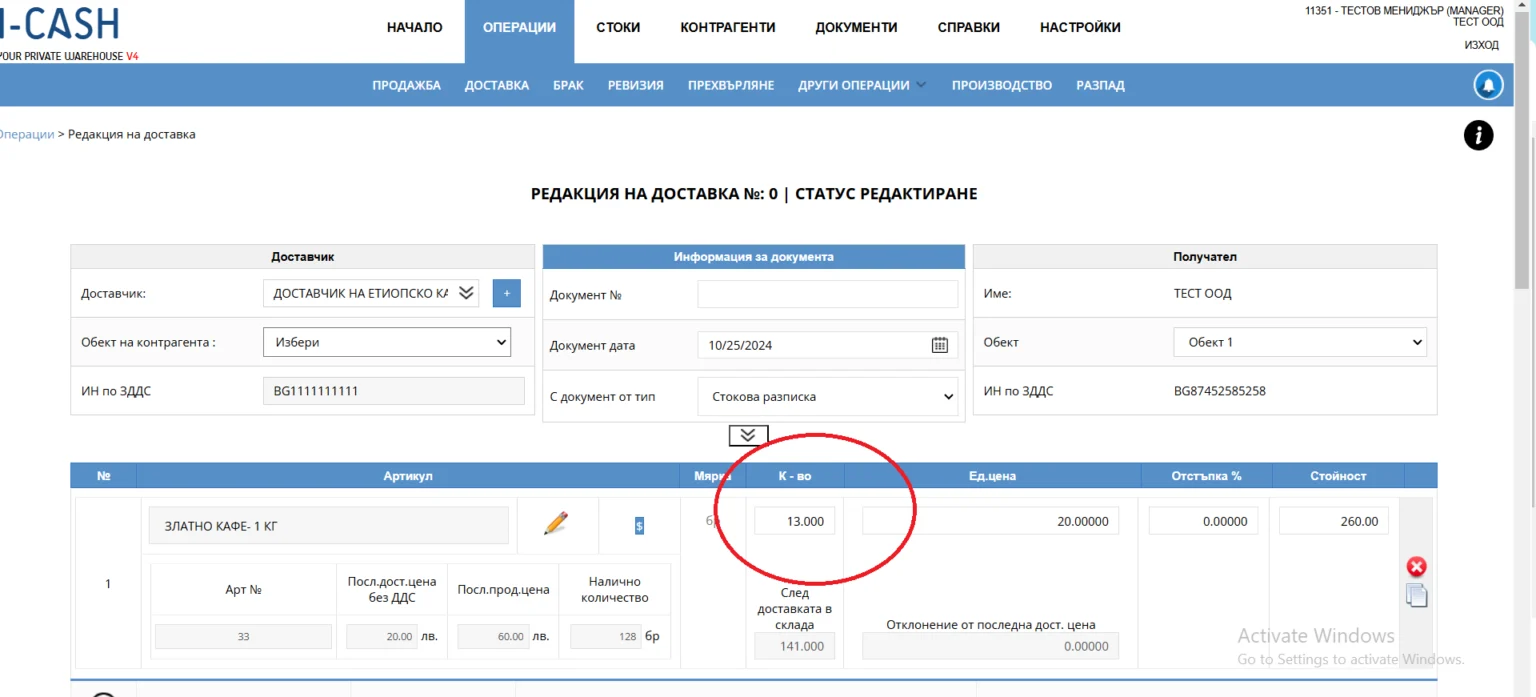
The quantity loaded automatically equals the quantity sold during the specified period, and the unit price is based on the item's most recent purchase price. You can edit the order.
When finalizing the order, you have two options:
- Saving the order as an open purchase: Clicking Save keeps the order open, allowing you to finalize it later when the goods arrive.
- Completing the purchase: Click 'Complete' to finalize the purchase and immediately add the goods to stock.
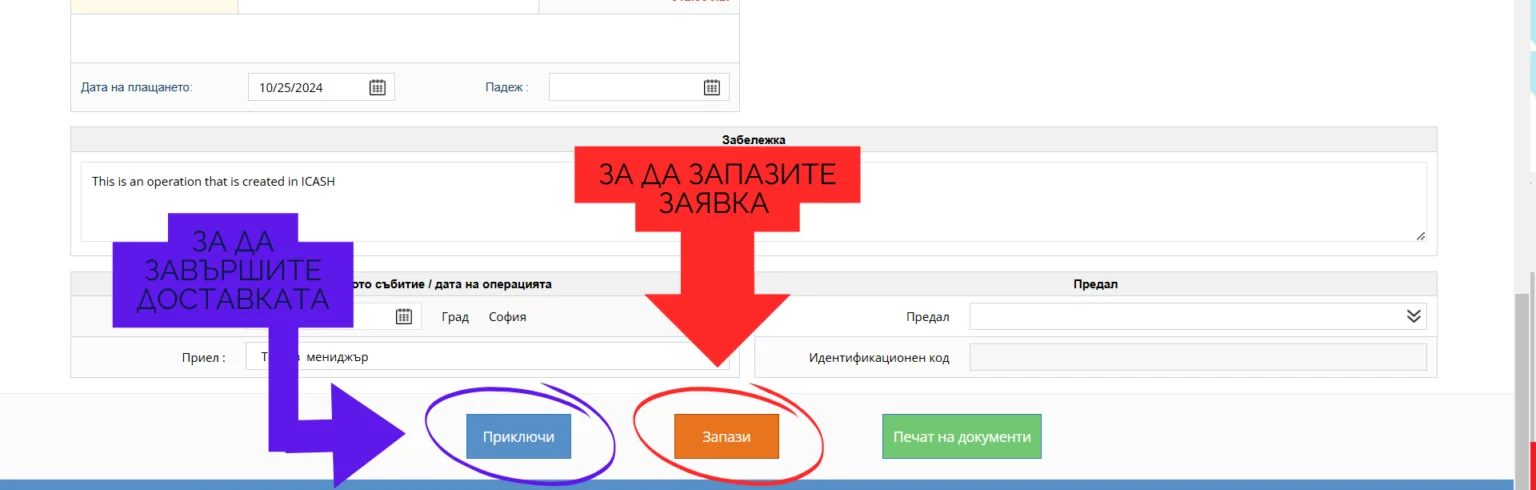
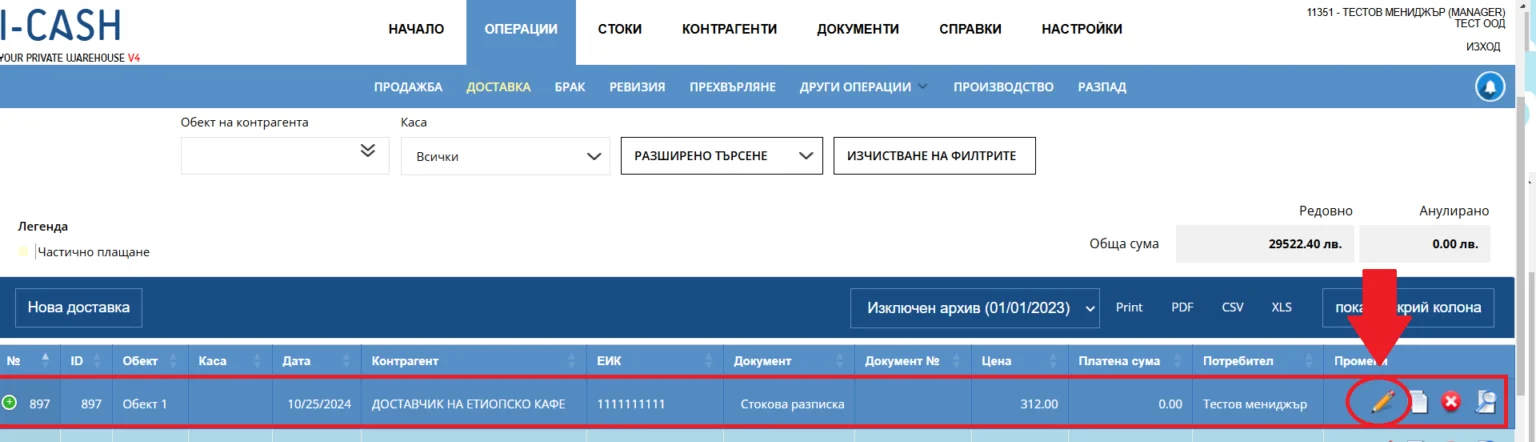
We recommend saving the operation as open and finalizing it after physically receiving the goods. To finalize, go to Operation menu > “Delivery” submenu, select Edit delivery (the pencil icon) for the relevant transaction. Then click “Complete” to finalize the delivery.
If you have questions about automatic ordering, feel free to email info@icash.bg. And if you have not yet registered for I-CASH retail and inventory software, do not hesitate to take advantage, completely free of charge, of one month of free access to the program by registering completely free at www.icash.bg.