Goods fulfillment with advance and final invoices – I-Cash
Whether you have used I-Cash for a long time or are just getting started, you will be interested in the new features we offer.
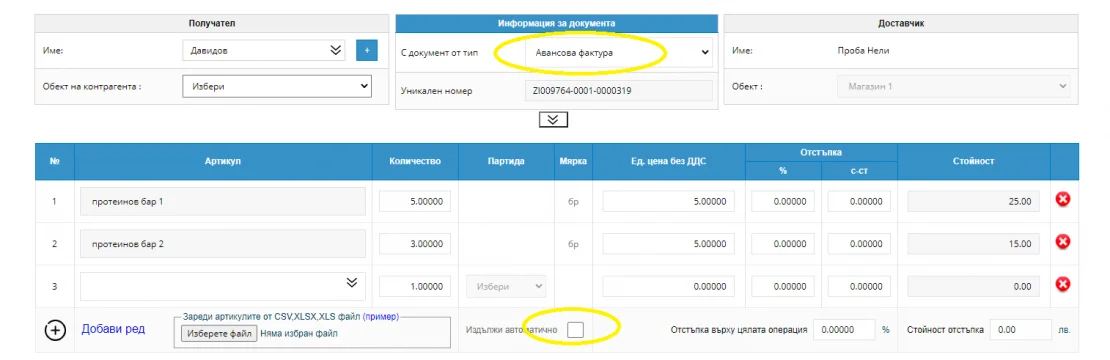
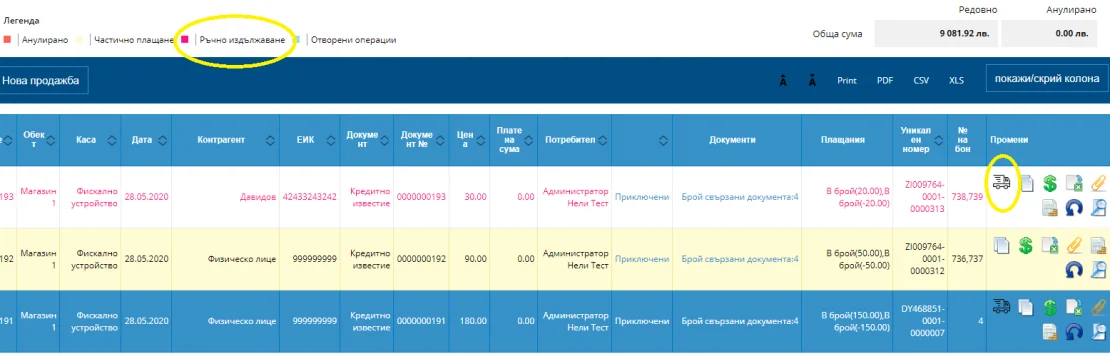
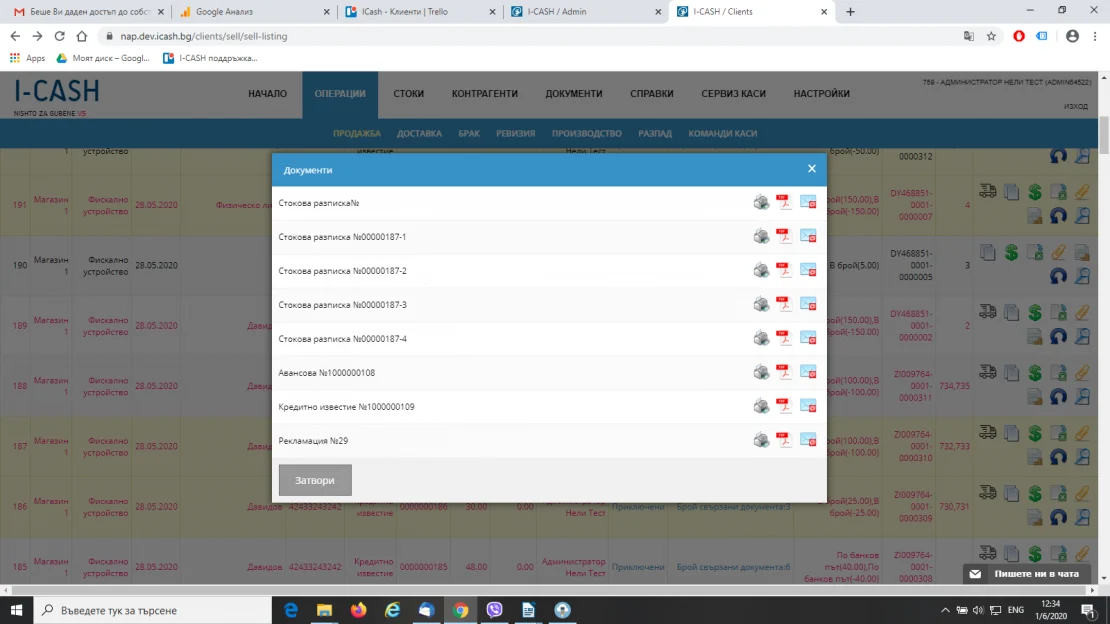
Following the latest improvements, the program lets you fulfill goods manually. This means you can issue an advance or final invoice while the goods remain in your warehouse. You can release them in stages, using the column Changes, icon Issuing.
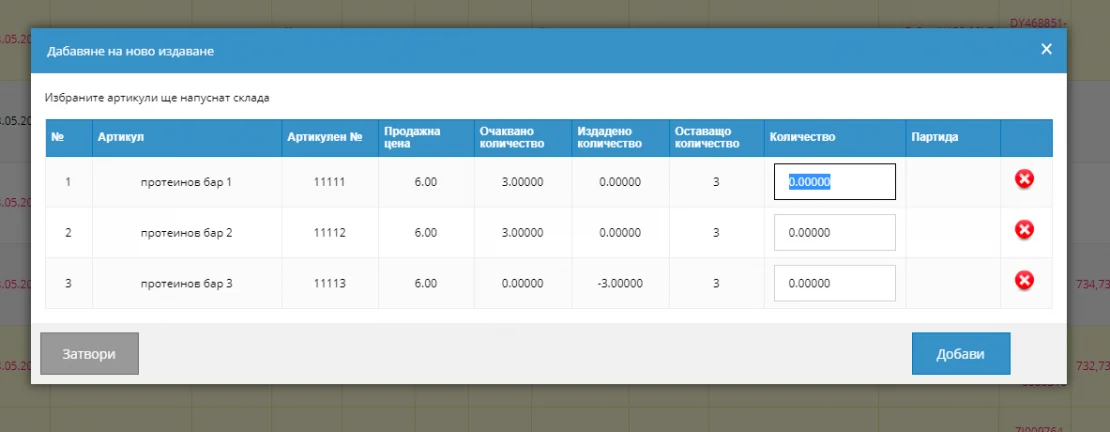
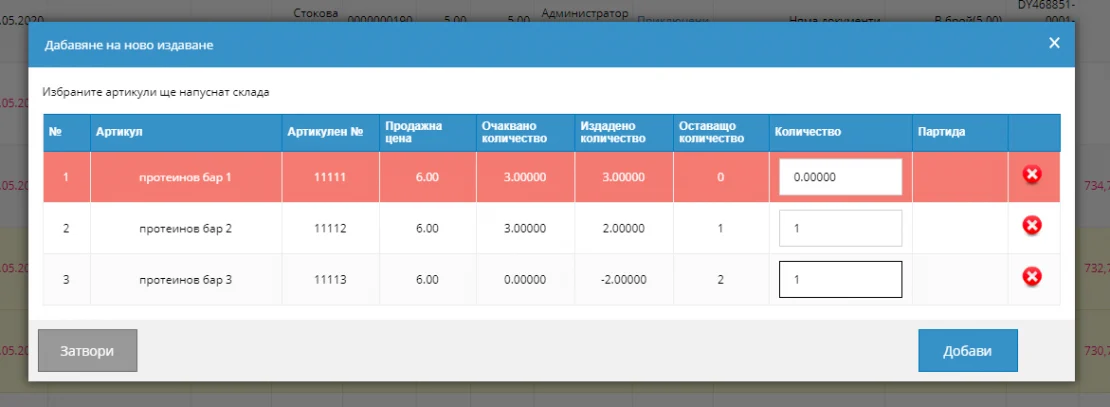
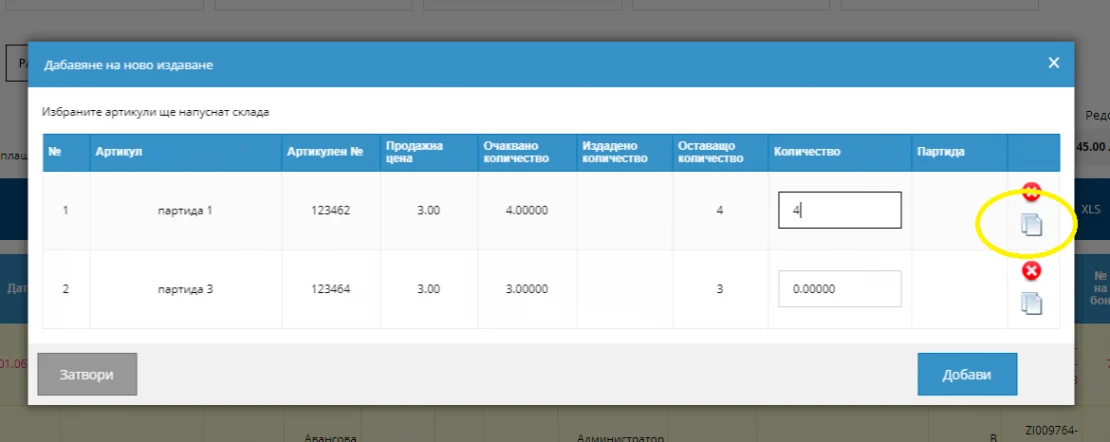
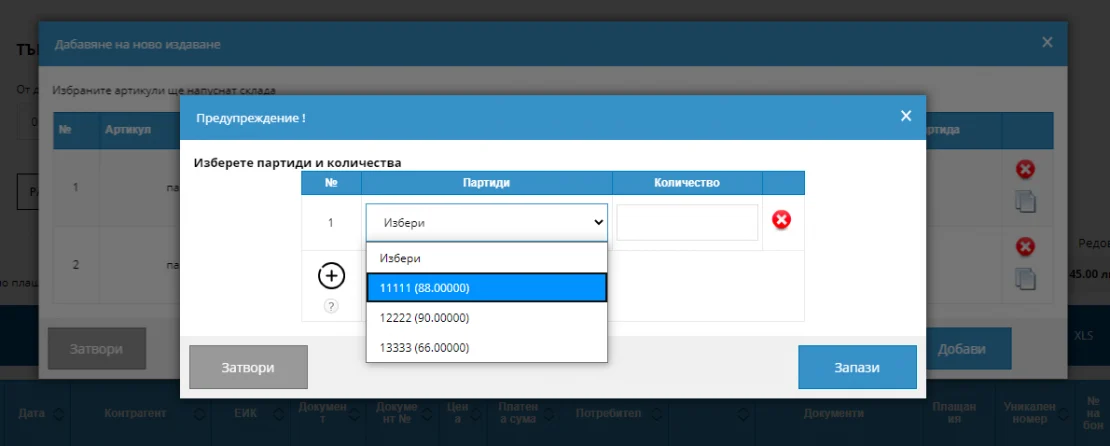
Select the icon to load all items from the sale and the quantities you originally entered. You can now enter the quantity being released from the warehouse. It may differ, but cannot exceed the quantity originally entered in the document. With every edit, the program reminds you how much remains until final fulfillment.
Also learn how to perform return after payment for goods.
Learn more about I-Cash's features—read the help materials in the category Working with I-Cash WEB or watch the videos on our YouTube channel. If you have questions, contact our colleagues using the following details:
Want to track your inventory and manage sales easily? I-Cash is a good solution for you. It is convenient to use and lets you enter your items and business partners quickly and easily through import. Importing items Receiving items through import is faster than entering them manually. For…
Issuing a credit note and processing a return after fulfillment. You make a sale with fulfillment, but the customer returns the goods or the document's prices need to be changed. You need to process a return against the sale and issue a credit note for the invoice. How is this done? Return against a final invoice with fulfillment. If…
Sales reporting questions often concern people running a business. If you use only a cash register, you may frequently face difficulties that could easily be avoided. What can retail software do better than a cash register? Retail software is easier to understand. A cash register is a specialized device and, as such, requires thorough…
What are pricing rules and how do they simplify sales? You have a price list but need to give a loyal customer a discount. Or you have a weekly promotion on certain items and want their prices adjusted automatically at sale. Perhaps you sell both wholesale and retail? Whatever your situation…
How to prepare recipes and create an item database in I-Cash. We will divide master data entry into two approaches and discuss them separately, covering particular situations and how to prepare for them. First, we will discuss items used at the bar, then goods used in the kitchen, and separately discuss…
Advantages of I-Cash as web-based retail software. You have installed software on your computer many times. It takes time, energy and often additional money. Online software saves you all of this. All you need to access it is a good internet connection. This allows you to work from anywhere in the world. In…