I-CASH – Mobile retail of the future
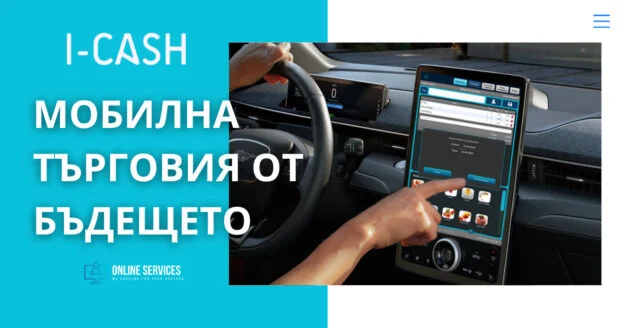
Manage mobile salespeople's orders through the cloud
I-Cash retail software is tailored to different businesses, including those engaged partly or entirely in mobile distribution sales.
If you are looking for software for mobile salespeople, our software probably meets most of your requirements:
- It is online-based, allowing you to monitor your employees' sales in real time.
- Meanwhile, the second module (POS), used to carry out transactions and particularly suitable for mobile salespeople, can be installed on an Android device—a phone or tablet. These devices are easy to carry, making your employees' work significantly easier.
The quick sales module is designed not only for sales but also lets employees issue invoices. When a mobile salesperson delivers goods to a business partner, they can immediately issue the necessary accounting document.
Until now, payment could be made in cash, by card or with a voucher. Our desire to be as helpful as possible to our customers drives us to develop further. We have therefore taken the next step: you can now settle by bank transfer and complete the operation through the cloud inventory account.
Bank transfer payments for mobile salespeople
All our clients and their employees can now use our newly developed feature: payment by bank transfer through the quick sales module. It is especially useful for mobile salespeople, but anyone operating through POS can benefit from it.
This development lets you start any transaction in the Web inventory account and complete it in POS, or vice versa. Any operation can be started by a warehouse employee, edited in the cloud and completed using a specified payment method.
How does it work?
Your company's mobile salesperson uses the quick sales module (POS) installed on their tablet. They are at a retail location, enter the requested items in POS and leave the bill open. When you log into the inventory account on the web, you can open the bill and make changes that will subsequently appear in POS before it is completed. You can:
- Edit the bill and save it. Your employee can find it under open bills in the quick sales module and then add a cash, card or voucher payment.
- Open the bill on the web and complete it with payment by bank transfer.
If you choose the second option, you can email the accounting document (invoice) generated by the system to your customer. Do this from the menu Sales–Documents–Send by email.
This way, you can monitor sales in real time and control each one without having to leave the office.
You can also start any bill in the Web application and have an employee complete it in POS.
Another option for bank transfer payments is working directly in the Web application on an Android device. The employee logs into the inventory account using the username and password you provide. They can create a sale directly in the Web application or edit and complete by bank transfer an operation already started in POS. The mobile salesperson selects the payment type when completing the operation. The invoice is then emailed to the customer.
Wherever your employee is, they can work entirely from a mobile device: make sales, issue accounting documents and process bank transfer payments.
Learn about the software's other advantages for mobile distribution sales in the article Why I-Cash is suitable for mobile salespeople.