Common errors when performing reversals
| № | Description | Details | Image |
|---|---|---|---|
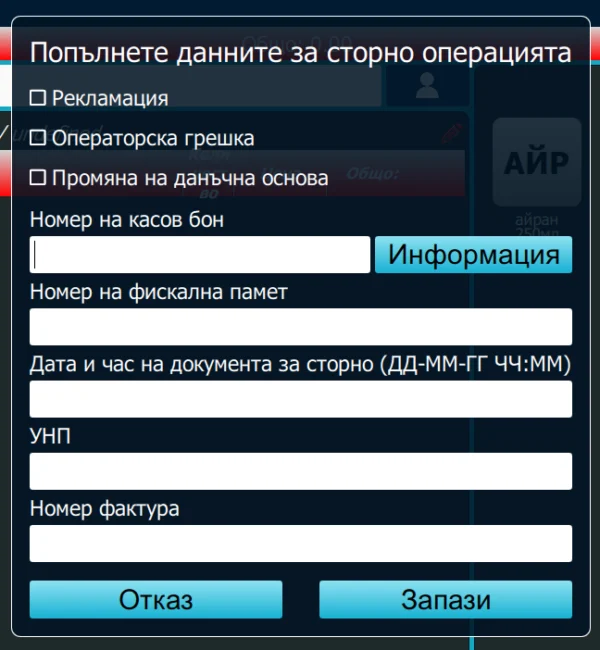
| 1 | Inactive buttons for reversal type |
Operator permissions have not been programmed on the cash register. 1. Return – the most commonly used reversal type when returning goods. 2. Operator error—10 units sold instead of 1 unit. 3. Tax base adjustment – an item sold at an incorrect price. |
 |
|
Details: Operator permissions have not been programmed on the cash register. 1. Return – the most commonly used reversal type when returning goods. 2. Operator error—10 units sold instead of 1 unit. 3. Tax base adjustment – an item sold at an incorrect price. Image:
|
|||
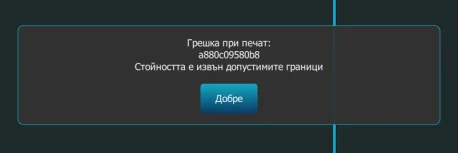
| 2 | Error: value outside the permitted limits |
General error. In most cases, it is caused by a difference between the cash register's time and the time server. Check the cash register's clock. |
 |
|
Details: General error. In most cases, it is caused by a difference between the cash register's time and the time server. Check the cash register's clock. Image:
|
|||
| 3 | Overflow (insufficient stock) | Occurs when the cash register has insufficient cash available. | |
| Details: Occurs when the cash register has insufficient cash available. | |||
| 4 | Overflow (repeated reversal) |
Occurs when attempting to reverse a fiscal receipt again. Some cash registers do not support more than one reversal per fiscal receipt. |
|
|
Details: Occurs when attempting to reverse a fiscal receipt again. Some cash registers do not support more than one reversal per fiscal receipt. |
|||