Transfer from POS
The POS transfer functionality was developed for customers who are engaged in freight trade, but it can be used by any other customer. To start a transfer from the quick sales module you must have access enabled.
Note! If the menu button is missing, your subscription package most likely does not include this feature.
Launch the quick sales module and navigate to Transfers.
Complete all fields step by step. Select the transfer direction. Goods can be transferred from the warehouse linked to the quick sales module to another warehouse, or from any other warehouse to the current one.
The next step is a transfer to a company warehouse or an external warehouse belonging to another company or individual.
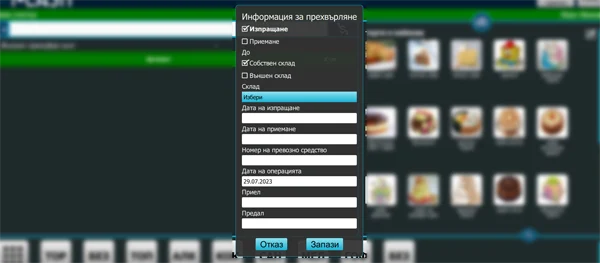
Select the recipient's warehouse. Warehouses are entered when editing a business partner in the Web application, with additional address, accountable person and telephone information.
Enter dispatch and receipt dates.
You can enter vehicle details.
Enter the names of the user handing over the goods and the user receiving them.
After saving the information, the system returns to the main screen and lets you enter goods and quantities.
When the operation is completed, the quantities are transferred between the selected warehouses. If a printer is connected, you receive a slip with information about both parties to the transfer and the goods transferred. In the Web application, you can track all transfers under Operations–Transfers.
For more information, you can view our guide.
Please visit our YouTube channel.