Everything you need to know about pricing rules in I-CASH

What are pricing rules and how do they simplify your sales?
You have a specific price list, but need to give a loyal customer a discount. Or you have a weekly promotion on selected items and want their prices to adjust automatically at checkout. Perhaps you sell both wholesale and retail? Whatever your situation, I-Cash lets you respond to your business's current needs. With the retail software, you can apply discounts:
- to your customers;
- for specific items or item groups;
- for a specified period;
- for a specific day or time.
All these options make your work easier and allow you to adapt to different situations.
Pricing rules
Set discounts from Goods – Pricing rules – Pricing rules – Add new pricing rule. Complete only the fields you need. Give the list a name. You do not need to specify a time range if you do not want one.
It is important to select a modifier – depending on whether you want a discount or markup and whether it should be an amount or percentage. Specify the type first, then the value.
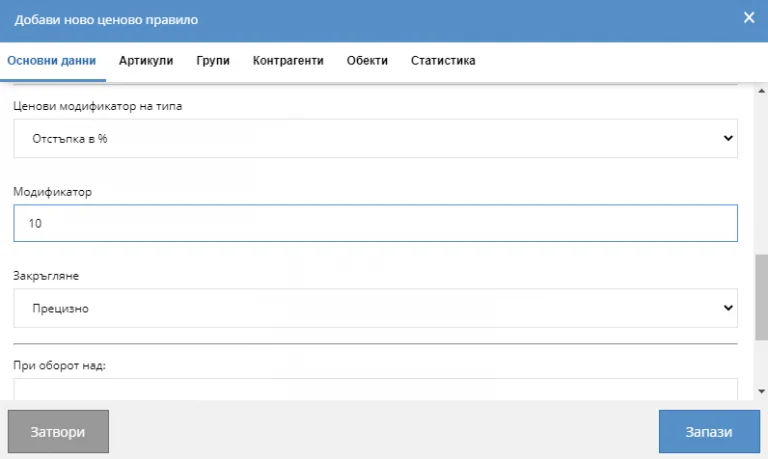
The order sets the priority of rules when several overlap to some extent. Check Active. To deactivate it later, clear the checkbox. These are the basic details to consider regardless of the rule type.
Business partner discount
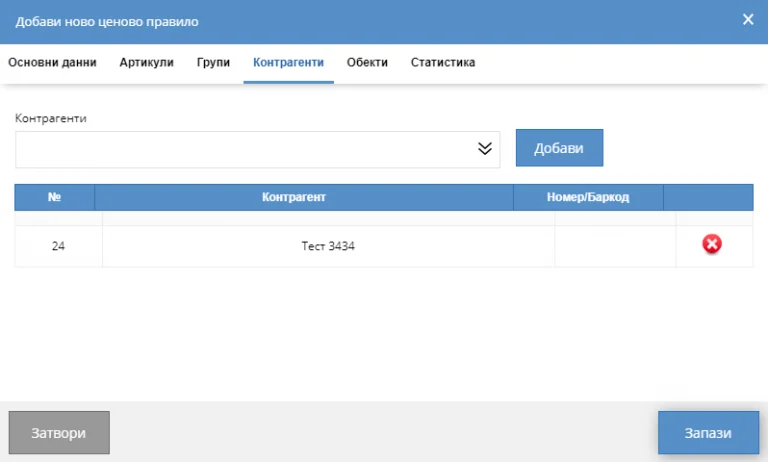
Complete the basic details. Pay attention to the modifier: for a business partner, select a percentage discount. Once all required information is entered, click Business partners and select the relevant user from the dropdown, then add them to the list.
Discount on items or item groups
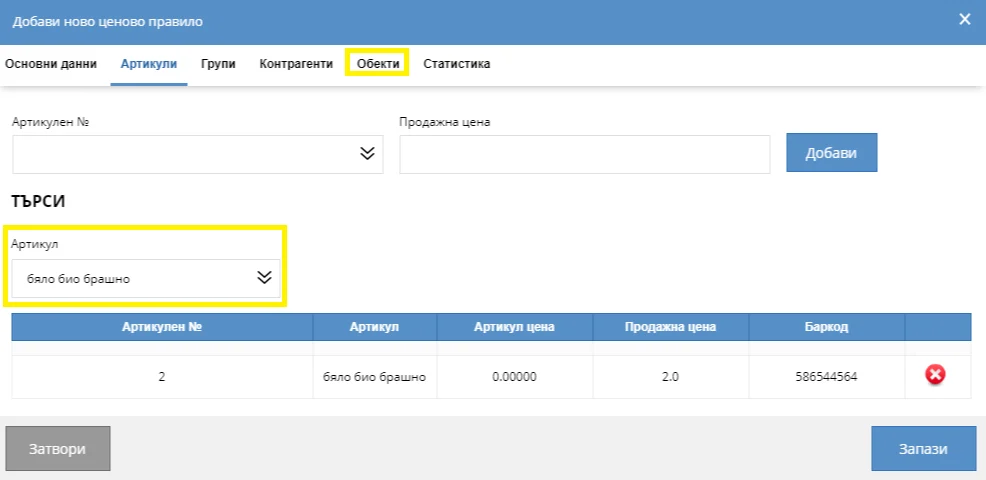
To set an item discount, you do not need to enter a modifier. Enter the name, choose a sequence number and check Active, then select one or more items and set their individual prices. These selling prices become active once you save the pricing rule.
If setting discounts for item groups, percentages are recommended, as with business partners. Enter the rule's basic details, then go to Groups and select the one or more whose price you want to change. Click Add and save.
Item and group pricing rules can apply to a specific location if you have several. To specify the location, click Locations, select the relevant warehouse, add it and save.
Discount for a time range
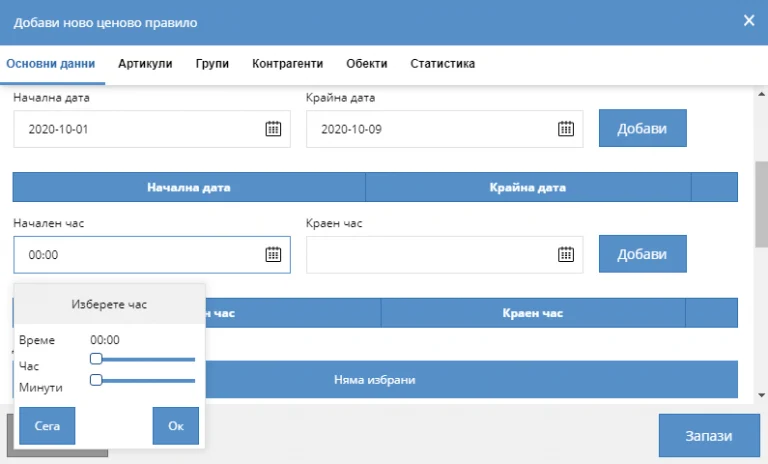
You can set item or business partner discounts for a period measured in days or hours under basic details. Enter the start and end dates or select the relevant hours. If using this option, specify which days of the week the discount should be active.
With I-Cash, you can combine discounts for:
- business partners and items;
- business partners and time range;
- items and time range.
Added pricing rules appear as a list below the filters. Each can be edited. If you have difficulty entering pricing rules, contact us using the details on the website.
Make your work easier with I-Cash – see our YouTube channel. It contains many useful videos explaining different operations.