
Home / User guide / Users
Users
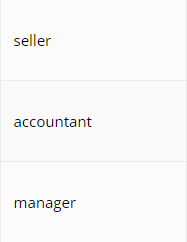
When creating your warehouse, you get access to three users who have different access rights to the system:
Manager - Who has access to all operations, documents, reports and settings. It may also grant certain rights to users
Salesperson - This role allows the user to access Operation - Sale, both through the WEB and through the POS application, and provides a report for a list of sales made.
Accountant - The Accountant has certain rights with which he can basically view reports.
A manager as a user can add roles to all other users or remove roles.
Each user has access rights with which to access the system.
Access data are obtained upon initial registration on our site or at the specified link- > HERE
After successfully creating a registration, you will receive access data for each user at the e-mail address you specified. Data is subject to change.
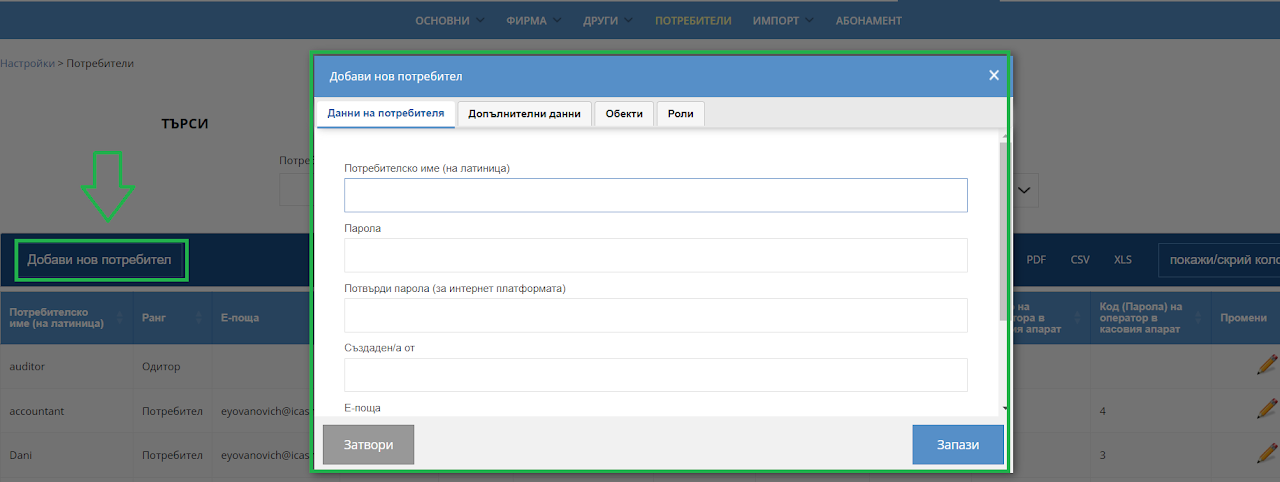
Create a new user
You can create an unlimited number of users in the system.
Each one has the following eligibility criteria:
User data:
-Username (name in Latin with which you will log in to the system)
-Password (for access to the I-Cash WEB platform)
-Created by
-Email (email address)
-Position (Whether it will be a manager, accountant or salesperson - consultant)
Additional data:
-Maximum percentage of discount (What is the highest percentage that a user will be able to give as a discount)
-Operator POS Code (PIN) (This is the password with which the user will enter the POS application.
- Name and surname of the cash register operator.
-Active (Whether to activate the created user)
locations:
locations are if your warehouse operates with more than one location and you want that particular user to have access to only one or a few locations in your warehouse.
Roles:
With roles, you give certain rights to users or take them away. The access rights are for the WEB and the POS platform of I-Cash.
You can find a detailed description of the roles HERE