How to configure the operating system for the quick sales module
The quick sales module is compiled to run on Windows 7 and later versions. The program uses resources by accessing specific libraries. Certain drivers are also required to ensure normal communication between the program and the operating system, on the one hand, and between the program and peripheral devices, on the other.
Here we will describe several tools, settings and pieces of information to help you optimize your work with I-CASH retail software.
1. Archive utility
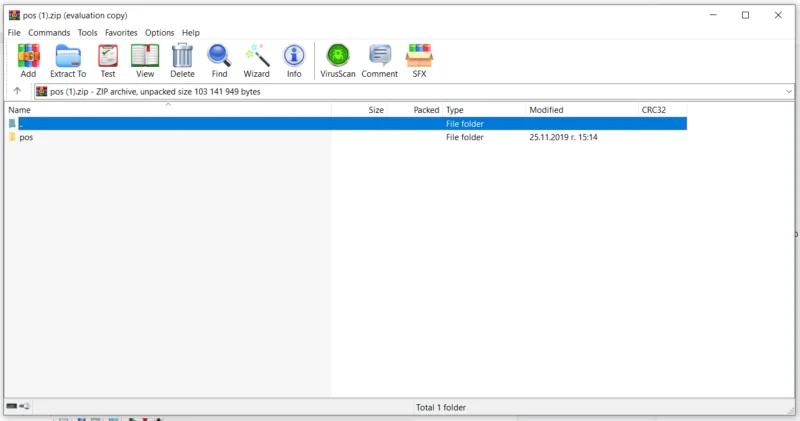
We will start with an archiving program. If you use Windows 10, you may already have one installed as part of the package. If you use older versions, you will need to install one. There are many different archiving programs online. Some are free and others are paid. We recommend Winrar, an exceptionally lightweight and convenient program. You can find it online. It can create archives in RAR or ZIP format and extract archives in other formats.
2. Peripheral device drivers
Regarding device drivers: downloading them from the manufacturer's website is mandatory. This applies to absolutely all peripheral devices. We advise I-CASH users to disregard the operating system message stating that the best possible driver for the device is already installed. Various software programs identify devices and install the correct drivers. Windows 10 includes functionality that attempts to identify a device and recommend drivers for it. Our experience has shown that neither option is sufficiently effective.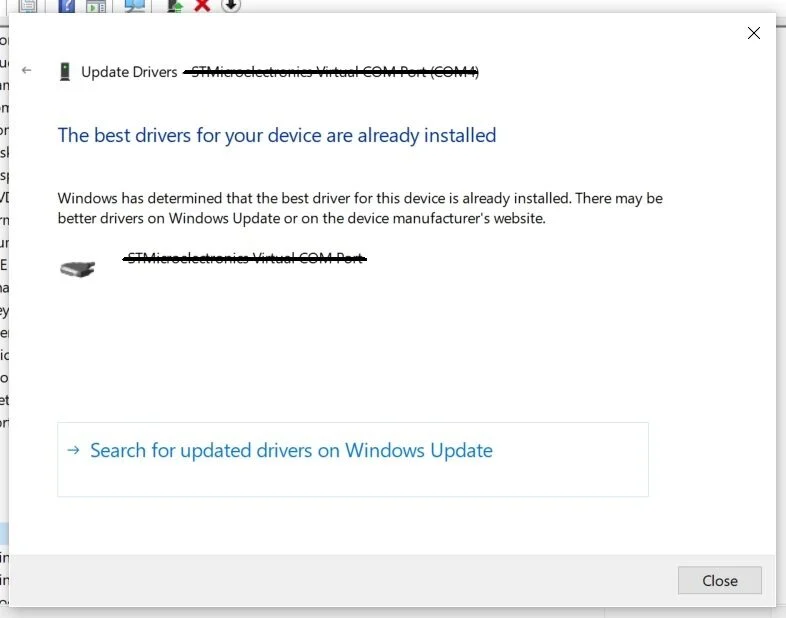
Another major problem is ports going to sleep. Customers often notice that the program loses its connection to peripherals, primarily the fiscal device. One of the main causes is power settings. These customers use the program on a laptop. Through power-saving modes designed to increase laptop battery life and operating time, manufacturers turn off processes required for the quick sales module to function correctly, such as:
USB ports
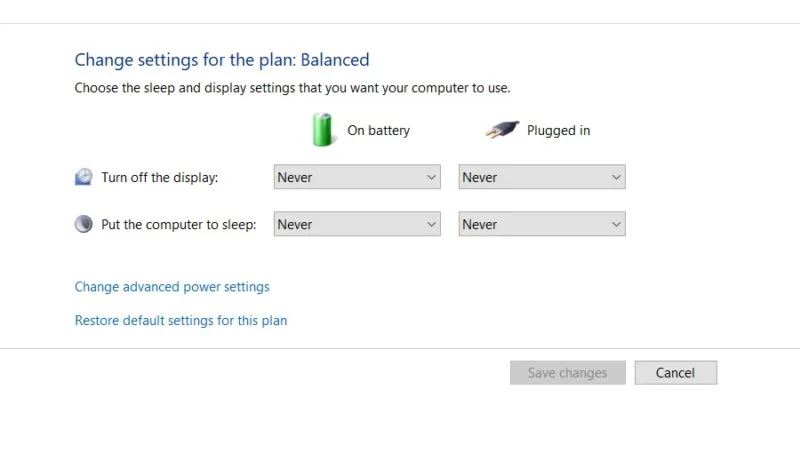
If unused for a while, they turn off, automatically breaking the connection to the attached device. To avoid this, change the power plan settings. Navigate to Control Panel\Hardware and Sound\Power Options\Edit Plan Settings and disable power saving by choosing never to turn them off.
3. Network card
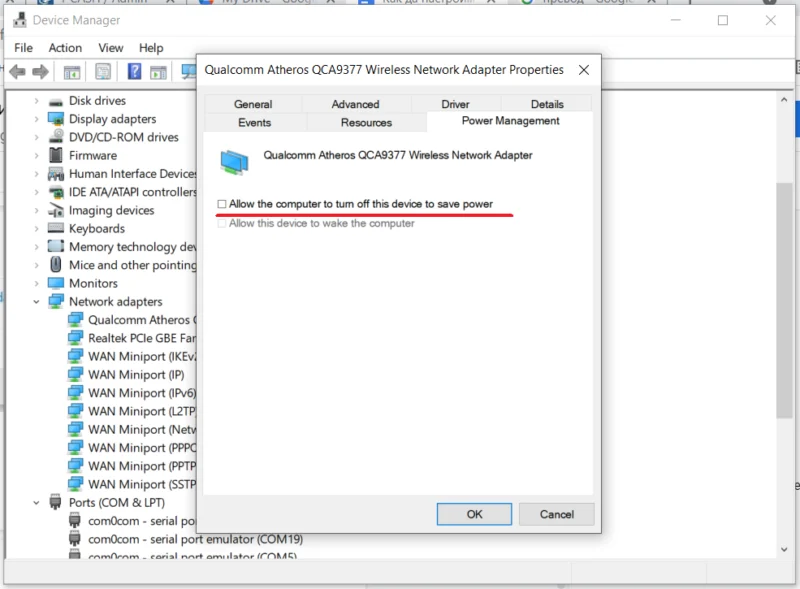
If Windows is configured to turn off power to the network adapter, the quick sales module may lose its database connection, preventing work through the web platform and commands through the API. Device Manager/Network adapters/select network adapter/Properties
4. Templates for non-fiscal printers
When preparing receipt templates for thermal ESC/POS printers, customers often cannot select a suitable printing font. In this case, specific monospaced fonts must be installed.
List of commonly used monospaced fonts:
Courier. Apercu Mono. GT Pressura Mono. Inconsolata. Maison Mono. Space Mono.
5. Office suite
Another inconvenient step when using the software is reading spreadsheets generated in the web interface. Each program in the Office suite can be, and most likely is, customized for its individual user. Unfortunately, this may cause difficulties when opening files generated by other software. The main causes are the encoding used to open certain file extensions and the delimiters in Excel. We recommend downloading/opening files with the correct extensions, in this case .XLS and .XLSX depending on the Excel version. Files exported by the program with the .CSV extension are, in most cases, not displayed correctly on customers' computers.
As an alternative to the Office suite, we recommend LibreOffice. It is a very convenient program with an interface similar to the Windows Office suite.
Our blog also contains other posts on optimizing Windows for I-Cash retail software. Here are some of them.
How to launch I-Cash with Windows– read here
Preparing a file for import if you use .CSV – read here
Graphics card driver problem— read here