Importing items into sales and purchases
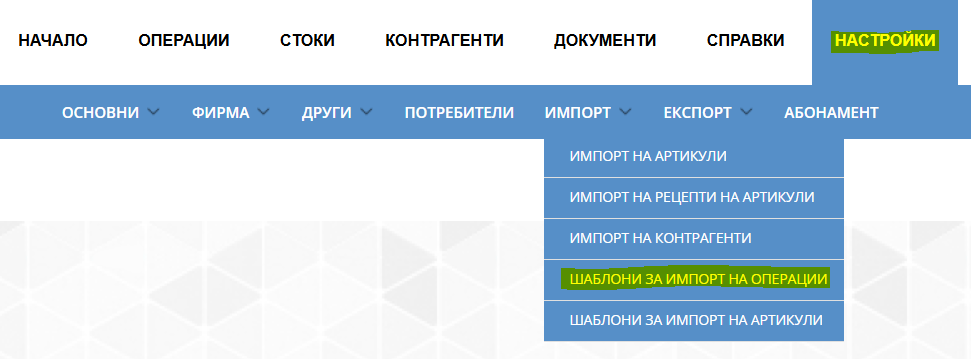
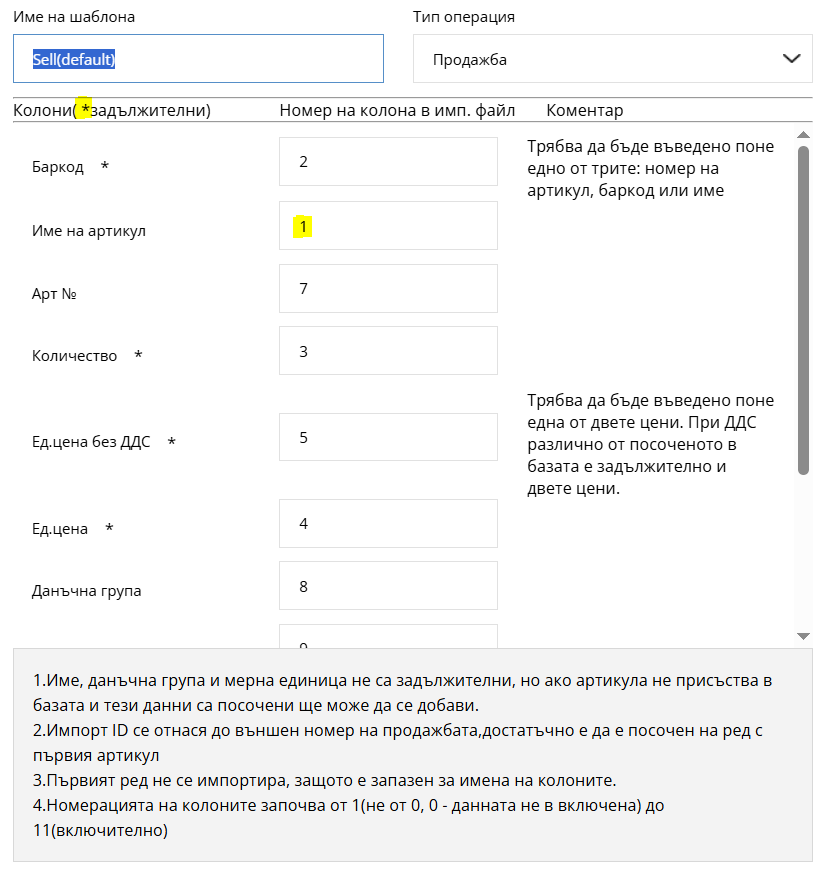
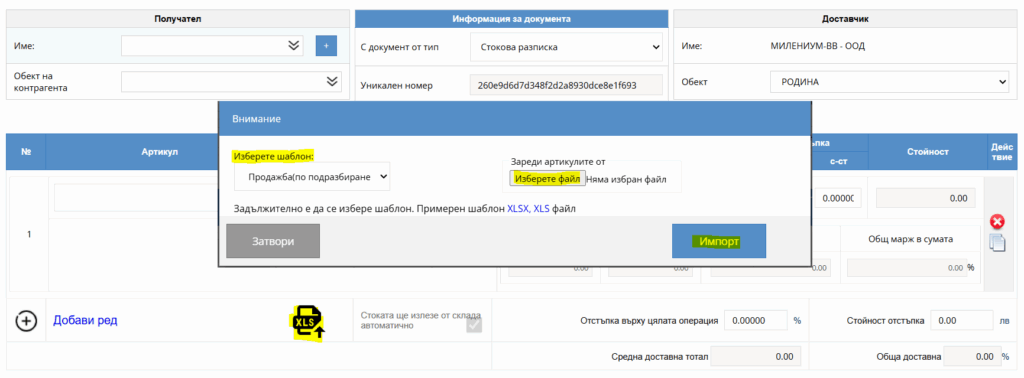

When editing the template, you can specify the column order (for example „Item name“ – 1, „Quantity“ – 2, „Price“ – 3). This way, when you import a spreadsheet into a transaction, the program quickly reads its information using the specified template.
The file will load automatically. The items, their numbers, quantities and other details match those originally entered in the spreadsheet.
If you are still unsure about a particular operation, call us at
+359 887 701 224 or by email at info@icash.bg.

I-CASH is a complete solution for managing sales, deliveries, inventory and other key business processes. To make your work as managers easier, we have added a new feature: automatic product purchase orders to the latest supplier. How does the automatic order work? The automatic order in I-CASH analyzes the quantity of an item sold over a given period and allows…
Owning a business is a responsible undertaking. Even so, everyone needs a break, including the manager. A good break requires peace of mind and confidence that everything is as it should be. Fortunately, tools now exist that let you rest assured your business is running smoothly at every…
How do you manually deduct goods from stock after completing an operation? Whether you have used I-Cash for years or are just getting started, you will be interested in our new features. Goods fulfillment. Goods fulfillment is an operation available when creating an advance or final invoice. When you load the operation from New sale, this enables…
Want to track your inventory and manage sales easily? I-Cash is a good solution for you. It is convenient to use and lets you enter your items and business partners quickly and easily through import. Importing items Receiving items through import is faster than entering them manually. For…
How to prepare recipes and create an item database in I-Cash. We will divide master data entry into two approaches and discuss them separately, covering particular situations and how to prepare for them. First, we will discuss items used at the bar, then goods used in the kitchen, and separately discuss…
How to connect a Daisy non-fiscal printer. Connecting a non-fiscal printer. First, prepare the master data in the inventory account. Enter your username and password at icash.bg/login and navigate to Settings – Company – Stations. Upon creation, the program generates one main station (non-fiscal printer). Using a restaurant as an example, you can create two…
