
Home / User guide / Invoice
Invoice
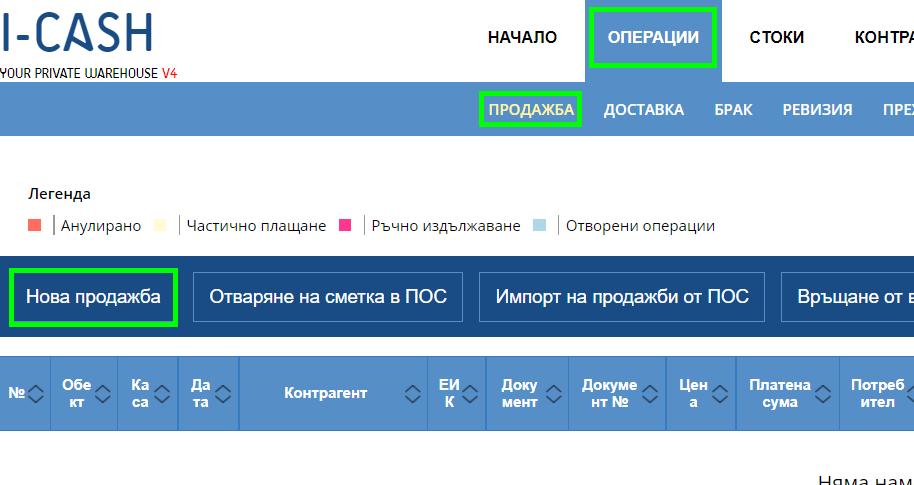
Create an invoice
The first step to create an invoice is to enter "Operations" - "Sales" and from there create a new sale, from which you will indicate the type of document you are creating.
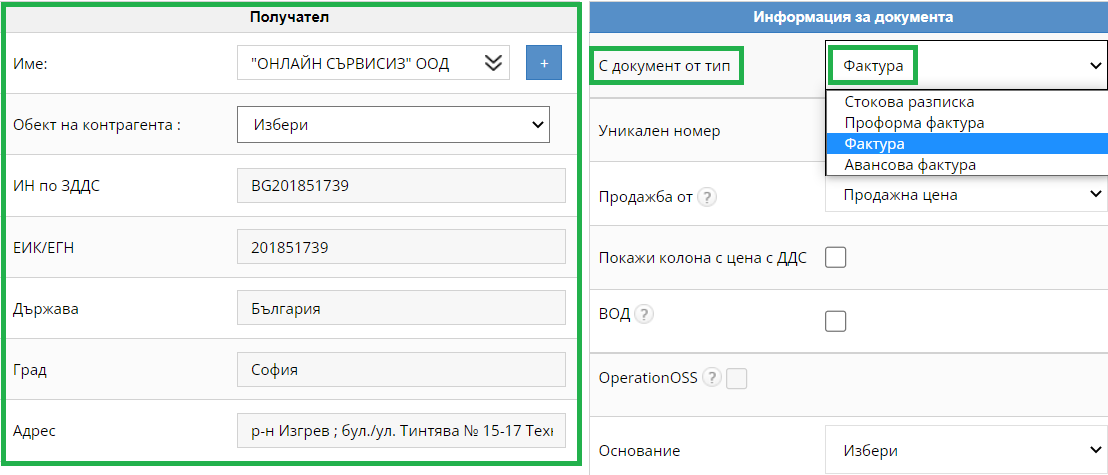
2. Selection of document and business partner
To create an invoice document, you need to select the type of document - "Invoice" and then choose which business partner you wish to issue it to. If the business partner has not been created in the system, you can create it now.
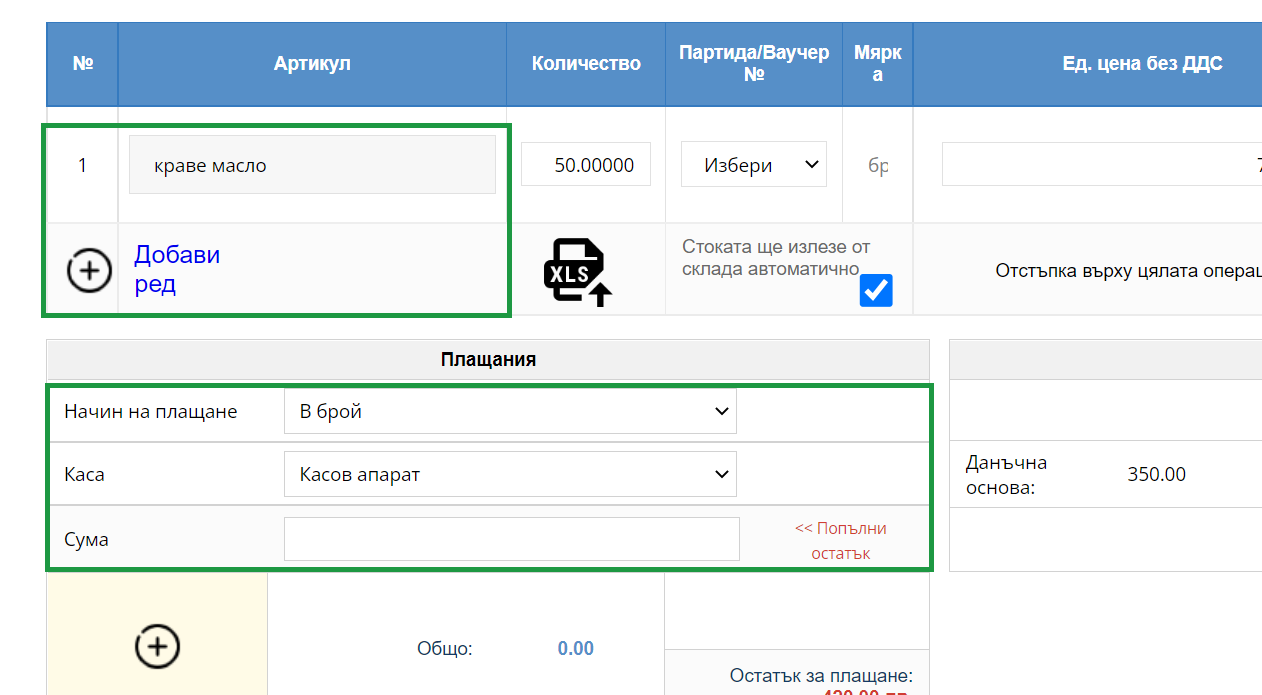
3. Selection of item and payment method
After choosing a business partner, you need to select the items and the quantity you wish to sell from them. If you don't have the item created in the system, you can create it on the fly during the operation itself. You need to choose a payment method and finalize the invoice.

4. Finalize an operation
To finalize the operation you need to select "Finish"
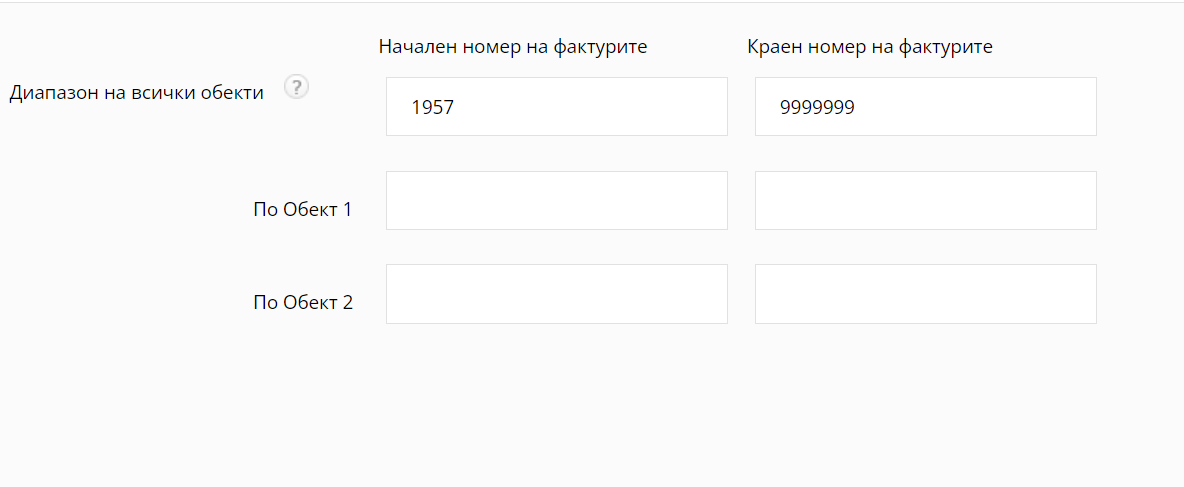
5. Range of invoices.
The invoice will be generated with a sequence number from the set range in the software. As set, the automatic range of location starts from 1. If you want to configure a new range of invoices, you need to contact us at support@icash.bg.
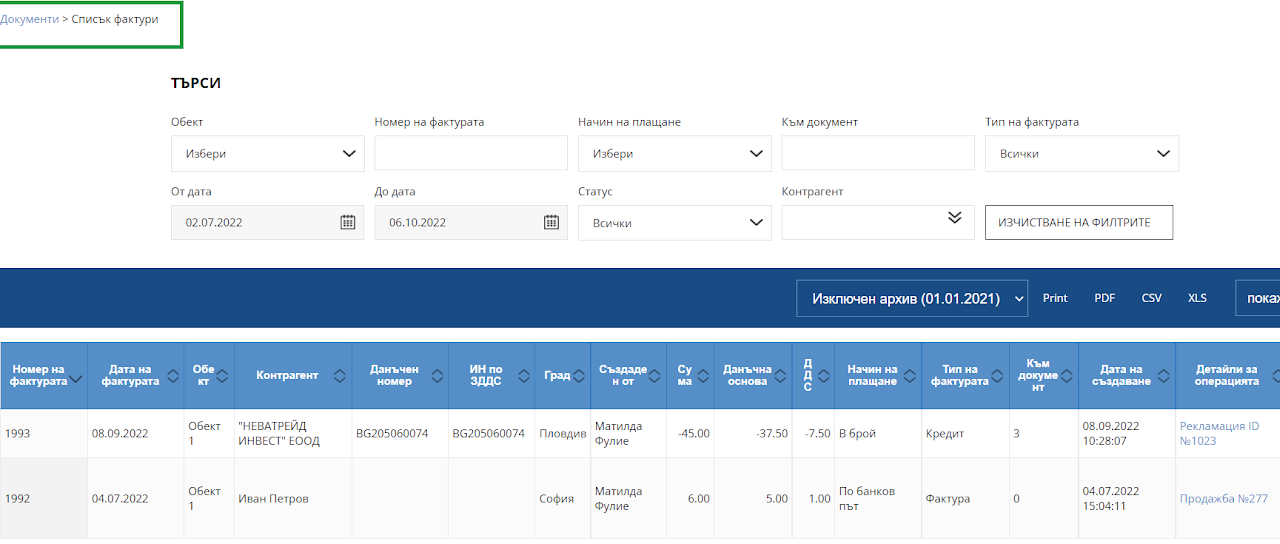
6. List of invoices
You can find the invoice you have generated in "Documents" - "Invoices" and there you can find the list of invoices to track by day, month or year. Each invoice has the option to be printed as "Copy" and/or "Original" as well as sent by email.
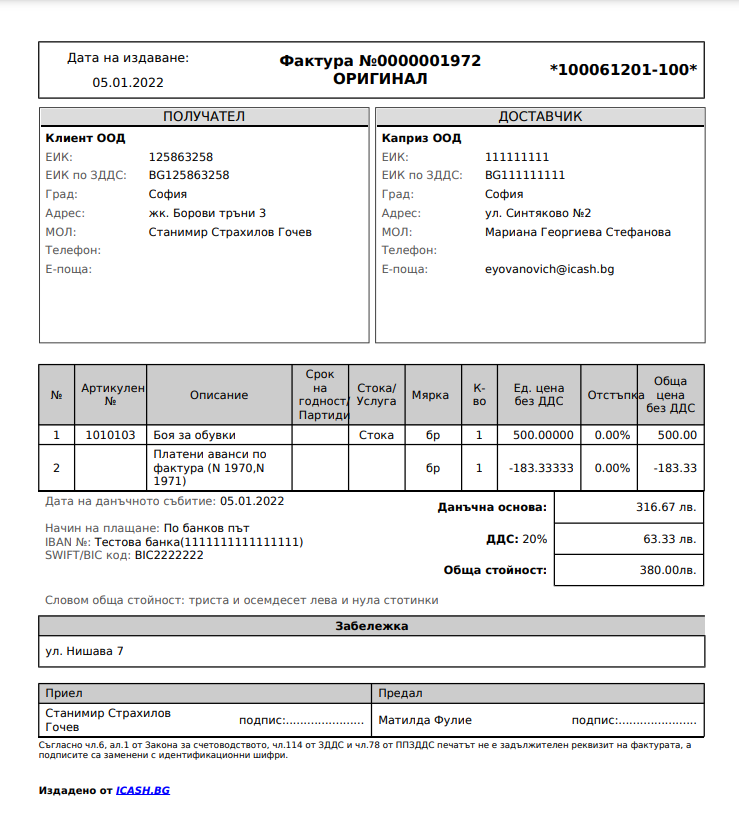
7. Document view
After creating an "Invoice" document, you will be able to find the view of the document, with a print option in "Documents - List of Invoices" and from there a PDF view, which you will also be able to send by email.