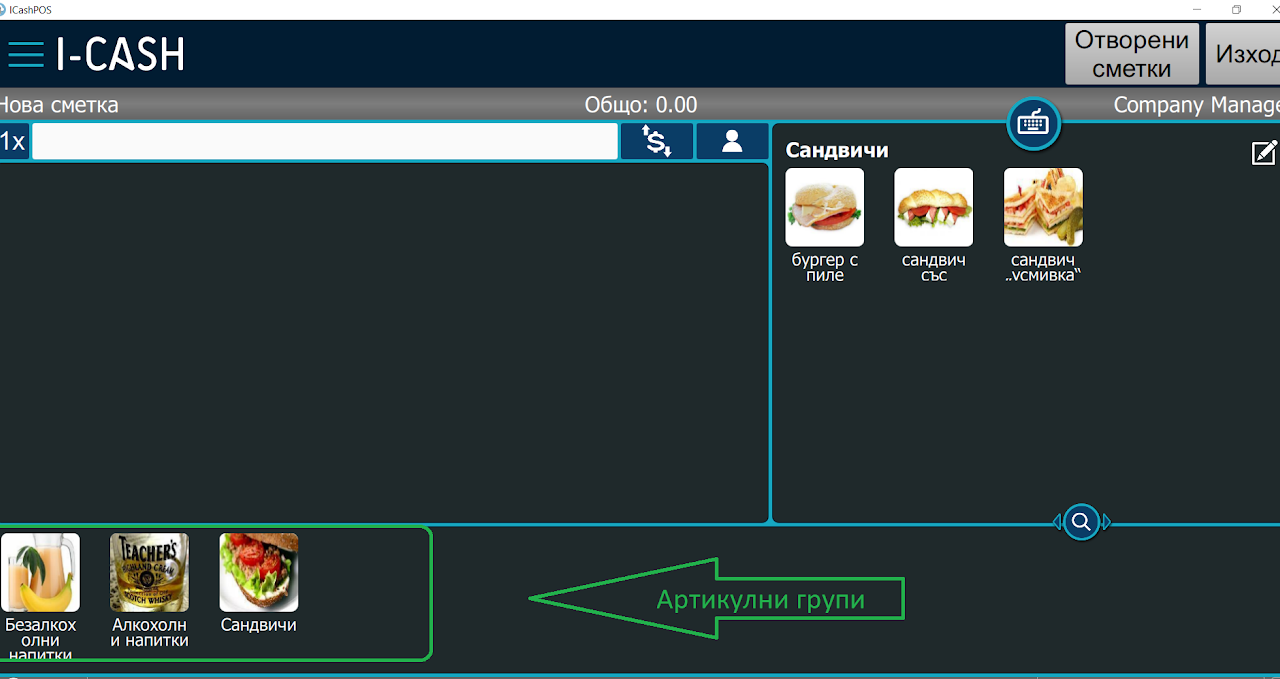
Home / User guide / Item groups
Item groups
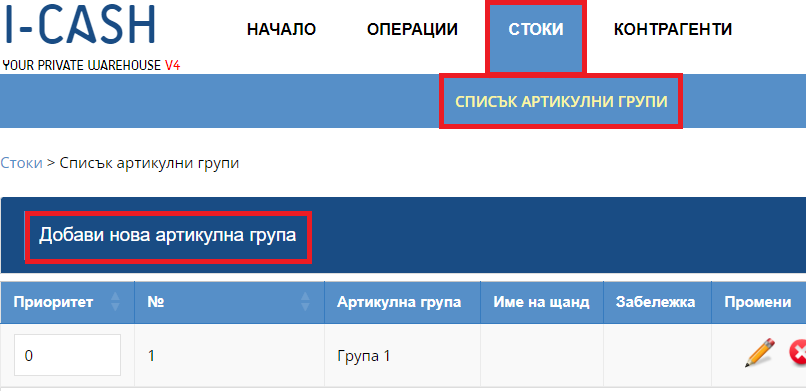
Creating an item group
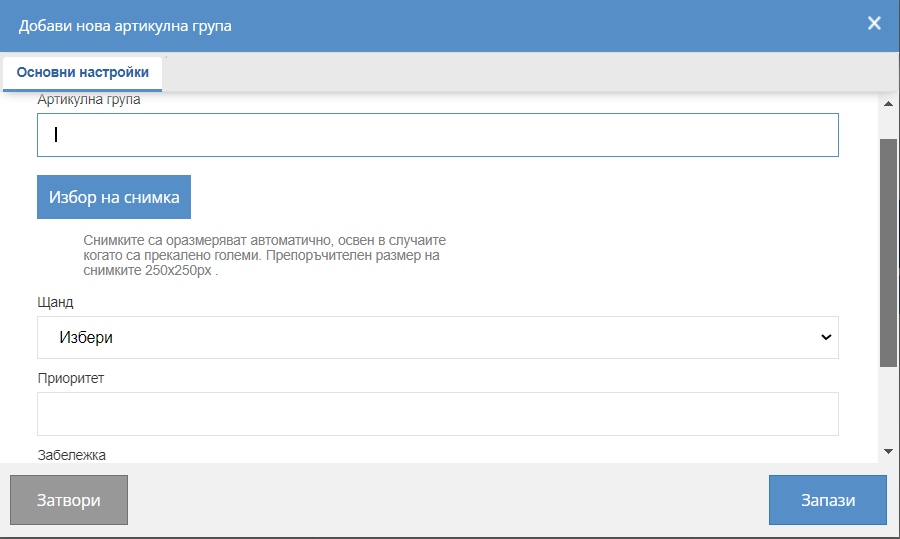
Fields to fill
To create an item group, you need to fill in a group name.
You have the option to add a photo that will be displayed in the POS module for quick sales.
*Photos are automatically resized, except in cases where they are too large. Recommended photo size 250x250px.
Addition of a stand occurs, under conditions of work with a non-fiscal printer.
*If a printer is used to print non-fiscal receipts to the bar, when binding at a bound hanging stand, all items in the item group will be printed on the printer.
Priority
*According to the priority you indicated, you will find the arrangement of the item groups in the POS - a.
Note
* note is informative
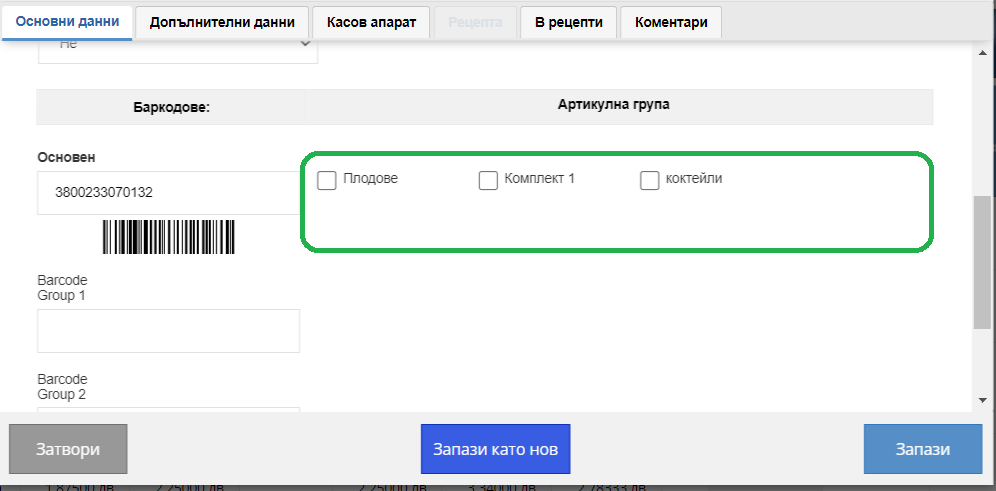
Binding of
item group
Once you've created your item groups, they'll be previewed when you create or on pre-existing items in your warehouse.
By selecting an item group in the item, you will be able to sell the goods in the future, searching by item group.
You will be able to track more reports by item groups such as profit and turnover.