
Home / User guide / Cash flows
Cash flows
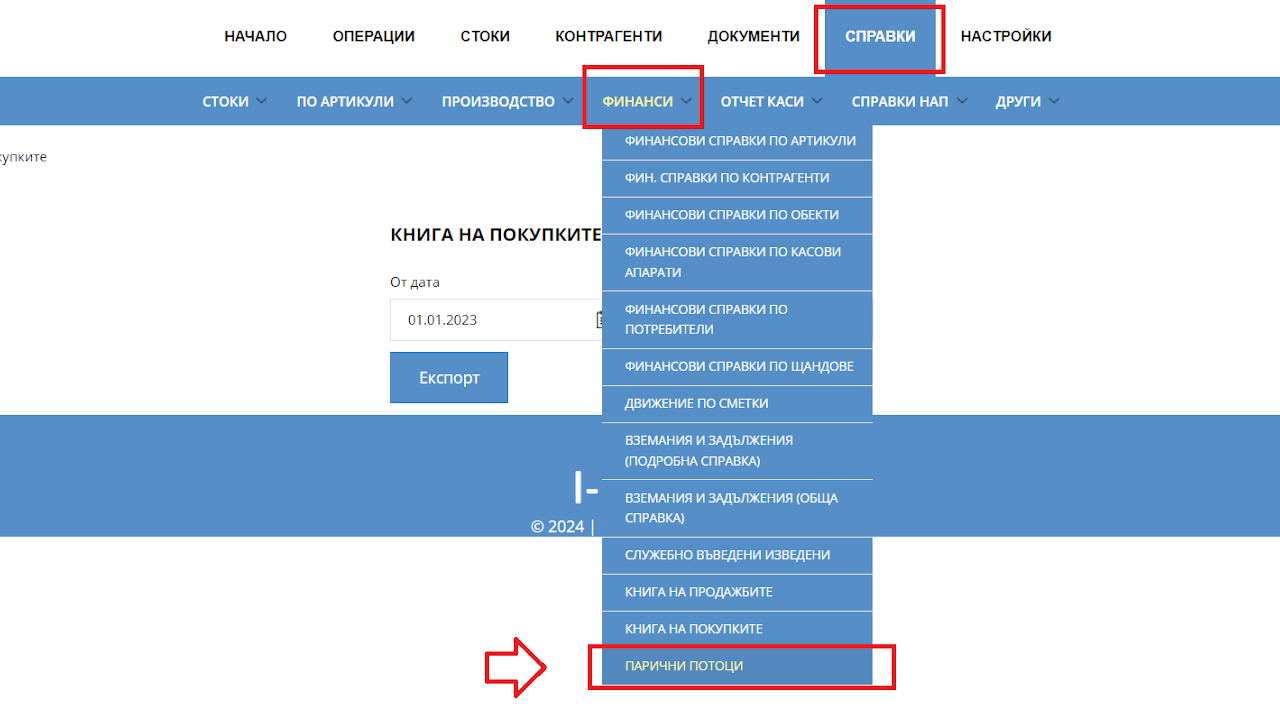
Navigation
The report is available from the reports - Financials - Cash Flows menu
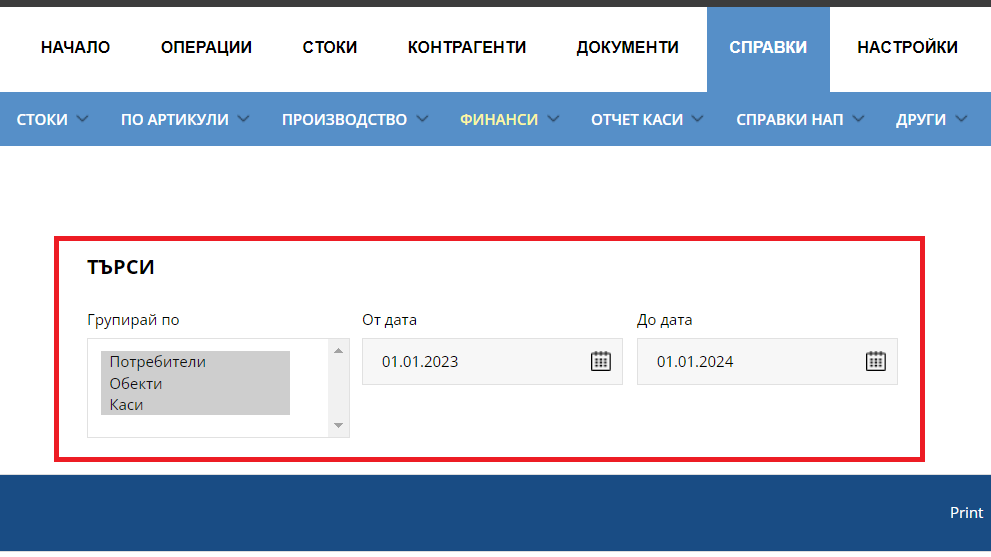
Filter
Combined selection, which includes three tables: report by users, by locations and by Cashiers. You have the ability to choose exactly which tables to visualize in the report.
Period - please set a start and end date.
The report reflects payments made for commercial sales and delivery operations and related customer returns and returns to a supplier. By default, it loads the report from the first day of the month.
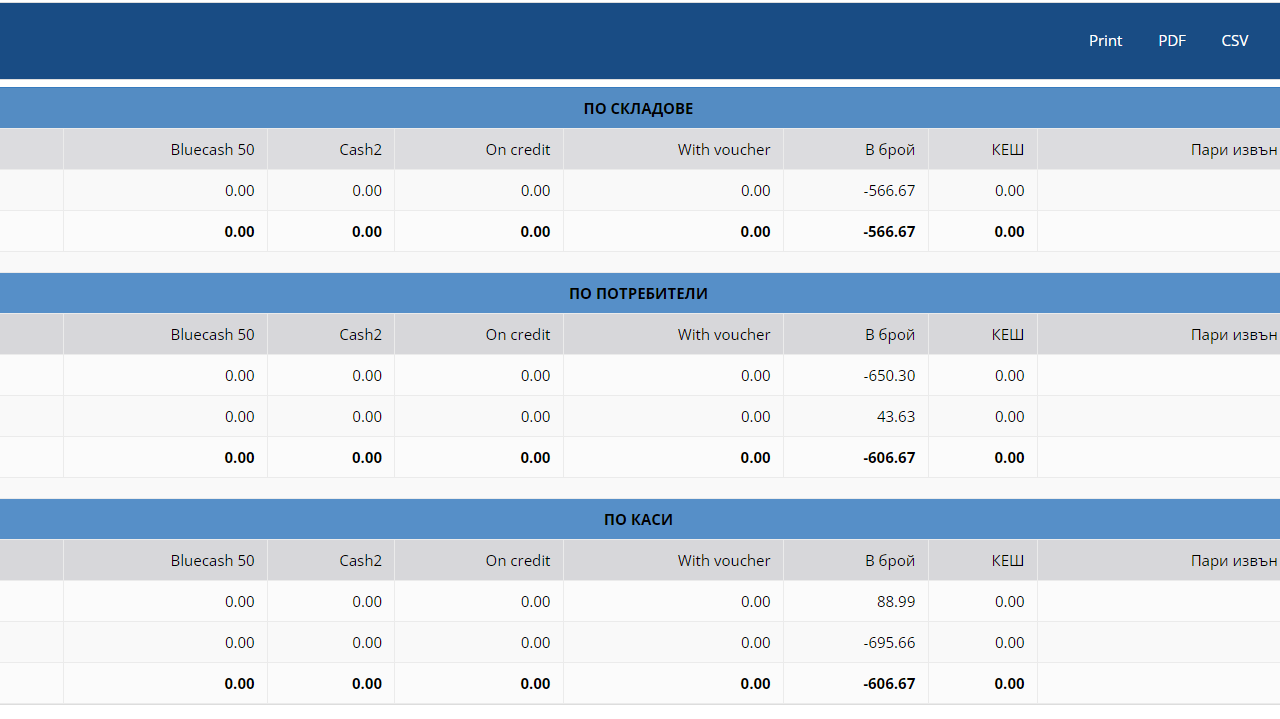
Information table
Based on criteria set by the user, the system will visualize from one to three tables for a period with financial information reflected in the system.
Sale without invoice (from pos and web)
Sale with invoice (from pos and web)
Reversals and partial cancellations from pos are included in the report
Reversals and partial cancellations from the web enter the report
Sale by bank transfer (after reflected payment enters the report)
Advance payments are reflected in the statement
Reversal of an advance payment enters the report
Delivery (after reflected payment enters the report)
Delivery edit (after reflected payment enters the report)
Return to supplier (after reflected payment enters the report)
Backdated delivery affects the day the payment is reflected