
Home / User guide / Movement on accounts
Movement on accounts
"Account Movement" report is available in the "reports" panel, "Finance" menu
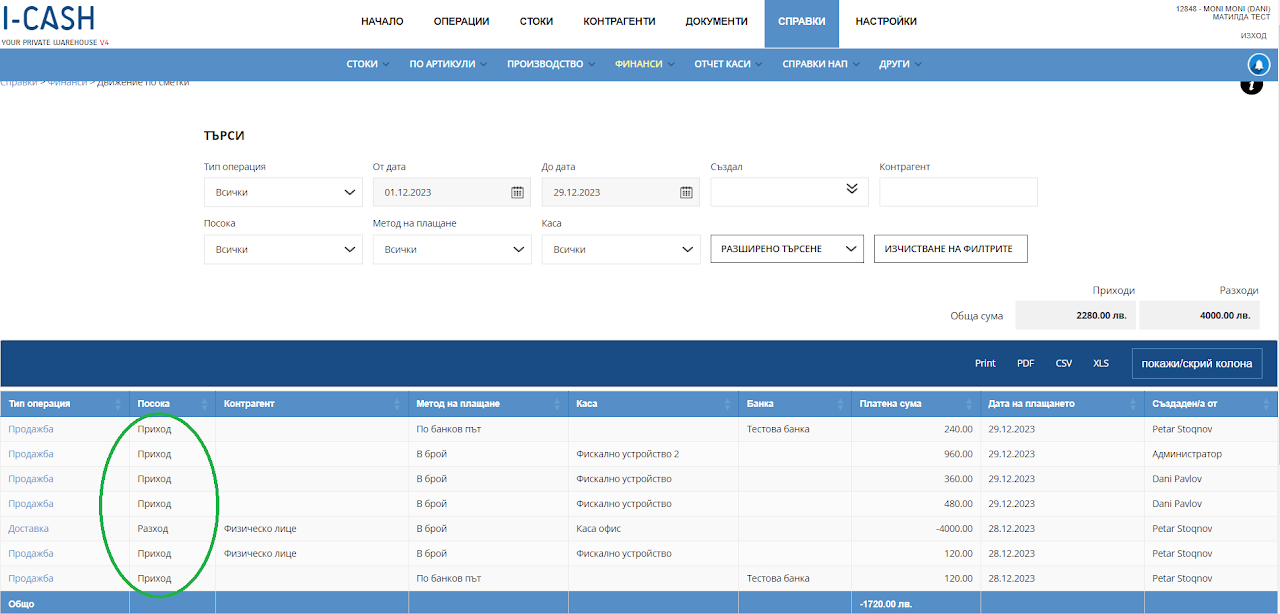
Movement on accounts
Through this report, the movement in your warehouse is tracked on all bank accounts, physical payments on fiscal devices or amounts left from the virtual cash register when external payments are made.
The report can track income and expenses for a period of time you specify.
You can search by user who created the operation, business partner to which it was carried out, whether it was income or expense and whether it was carried out through a physical cash register or a virtual office cash register.
In the gray field "Income" and "Expenditure" you will find the final amount (total) of the movement on accounts for the specified period.
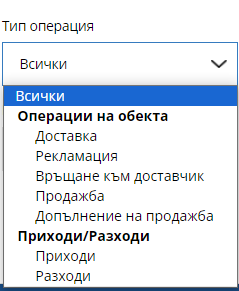
The movement of accounts provides a report for all types of operations carried out in the warehouse and the payment methods associated with them.
You can track the following operations:
Goods receipt
customer return
Supplier return
Sale
Complement of sale
Income
Expenses