
Home / User guide / Information
Information
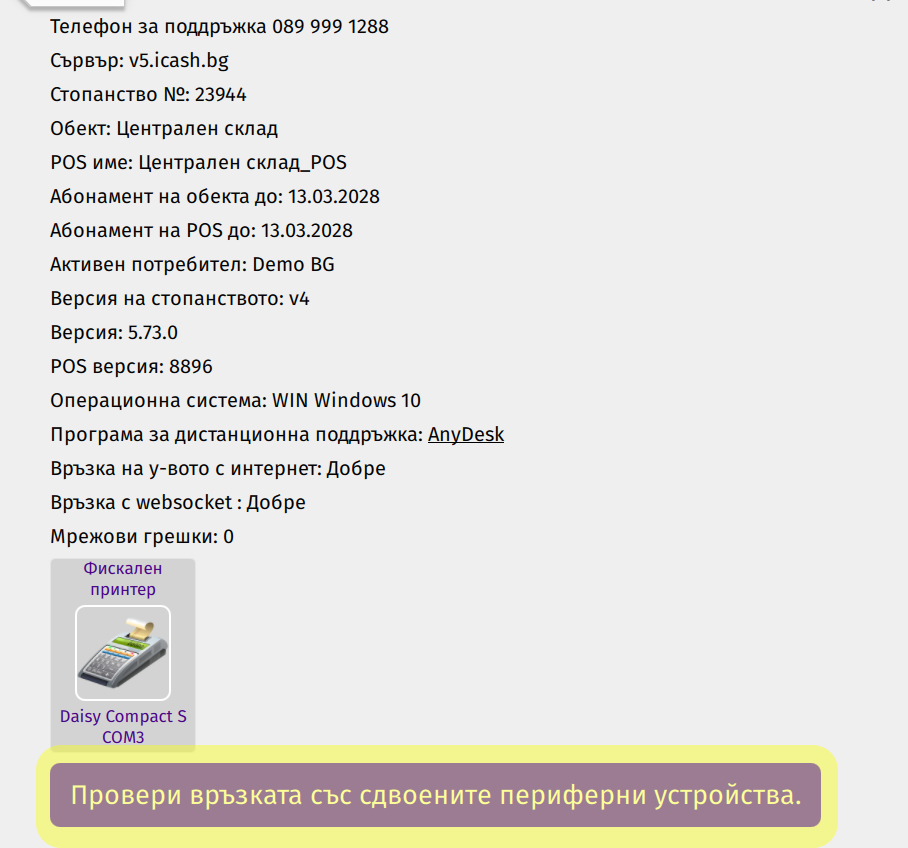
The I-CASH dashboard provides you with important information about your POS and connected peripherals. Through it you can check the status of the system, test the connection with peripheral devices and troubleshoot any problems.
Contents of the information panel:
Warehouse Number: Shows the number of the warehouse that your POS is linked to.
Site: Shows the name of the site where your POS is located.
POS Name: Shows the name of the POS you are working at.
Subscription duration data.
Active User: Shows the name of the user who is logged in.
Version: The version of the POS application that is installed.
Connected Peripherals: Displays information about peripherals connected to your POS, such as fiscal/non-fiscal devices, scales, barcode readers, etc.
Features of the information panel:
Connection test: You can test the connection between your POS and connected peripherals. Upon successful connection, the fiscal device will print a short note. If a test fails, an error message and wizard will be displayed with instructions to fix the problem.
Remote technical support with AnyDesk.