
Home / User guide / Production
Production
*Feature available only for Production package
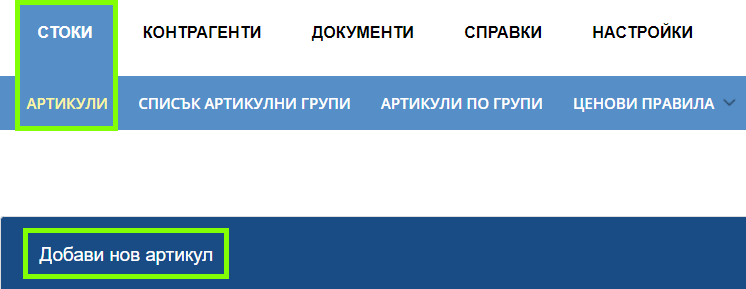
Add the ingredients and production item
To create a production, you must first create the component items that will be part of the recipe and the final recipe item that will be sold. You can do this through the "Goods" ➡ "items" menus and the "Add new item" button. More details can be found on the mentioned item: Items
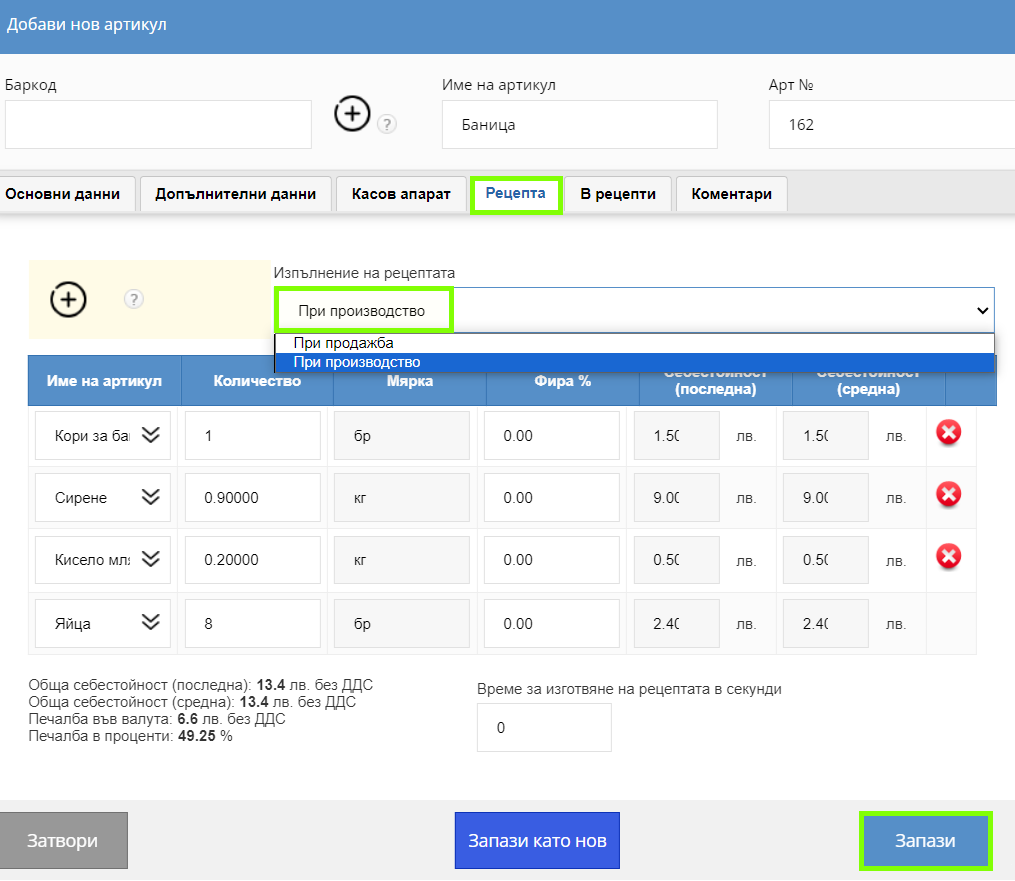
Recipe - Production
There are two types of recipe in I-CASH:
On sale - The quantities of component items specified in the recipe will be removed from the warehouse when the recipe is fulfilled during the sale (Ex: Gin and Tonic cocktail).
During production - The quantities of component items specified in the recipe will be removed from the warehouse when the recipe is executed during production (Ex: cow's milk cheese).
To create a recipe you need to add the already created component items and set the amount* to be used.
The cost price of the recipe item is the difference between the sales price excluding VAT of the recipe and the purchase prices excluding VAT of the component items. It is final and weighted average based on the final and weighted average purchase prices of the ingredients.
Fira % is the amount lost during the preparation of the recipe (Ex: If the recipe requires 1 kg of cheese, and the Fira is 10%, then in the end the quantity used is 1,100 kg; accordingly, in the cost fields, the purchase prices for 1,100 kg is calculated).
*Default units are "pcs" and "kg". To add other units of measurement, you can contact us at the indicated on our site icash.bg email and phone.
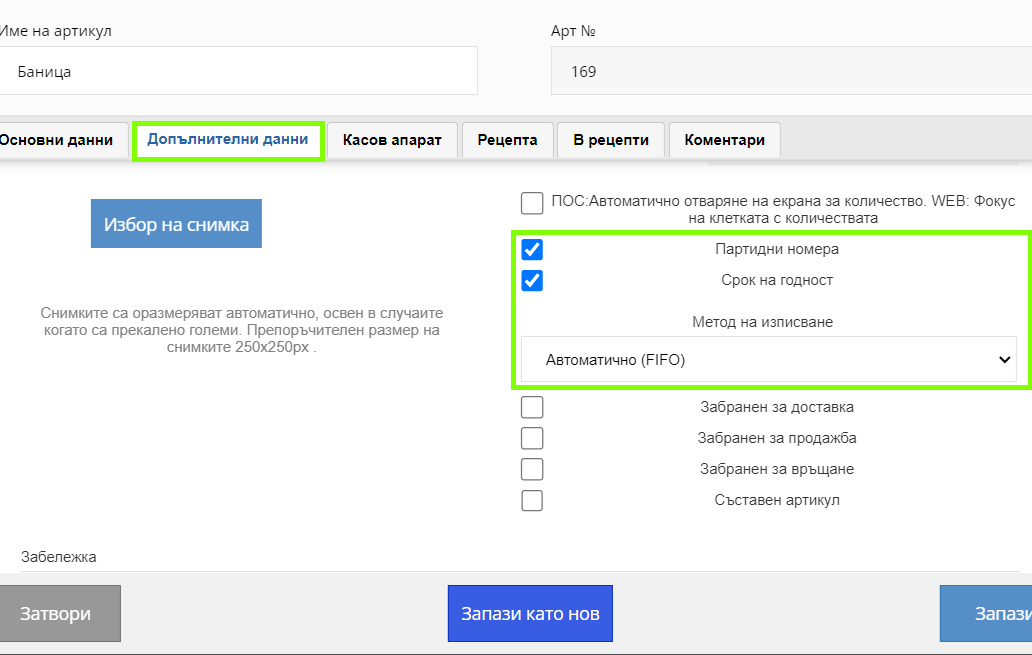
Batch and expiration date
In order to deliver (*for the Standard package (incoming control journal) and Production) and/or sell (*for the Production package only) items with batches and expiration dates, you need to mark the relevant fields in the item's additional data:
Batch numbers
Expiry dates
A "Writing Method" drop-down menu will appear:
Automatic (FIFO) - First In First Out is a method where the first batch delivered/produced will be the first to be sold.
Manual - You will be able to choose the lots to sell from.
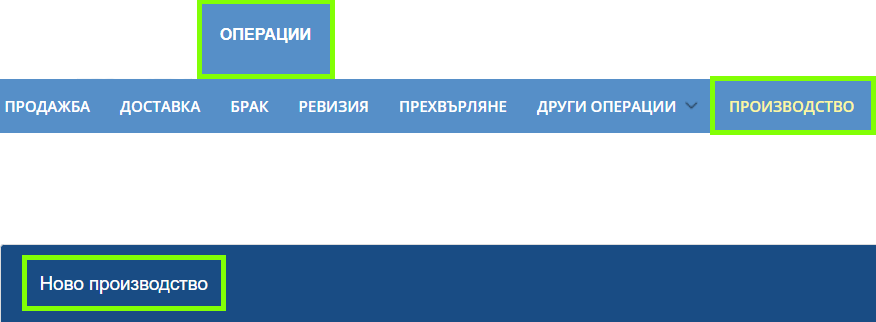
Creation of production
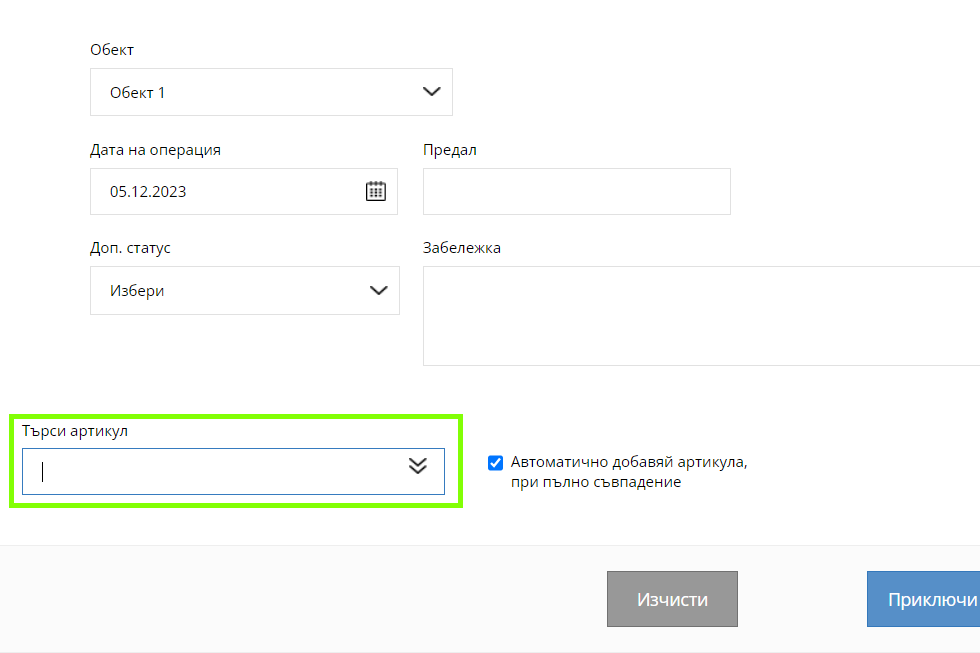
Navigate to the menu "Operations" ➡ "Production" ➡ "New Production" to start the process of creating a production.
A new window will open with several fields:
location - To which location in your warehouse the production quantity should be added.
Operation Date - By default, today's current date is loaded. This is the date of the proceedings.
Predal - The person responsible for the relevant proceedings.
Note - An additional comment to the operation will be visualized in the list of productions.
Search Item - Use this field to add item/s to production. All items with a set recipe "In production" are included in this search engine.
Filling in the details
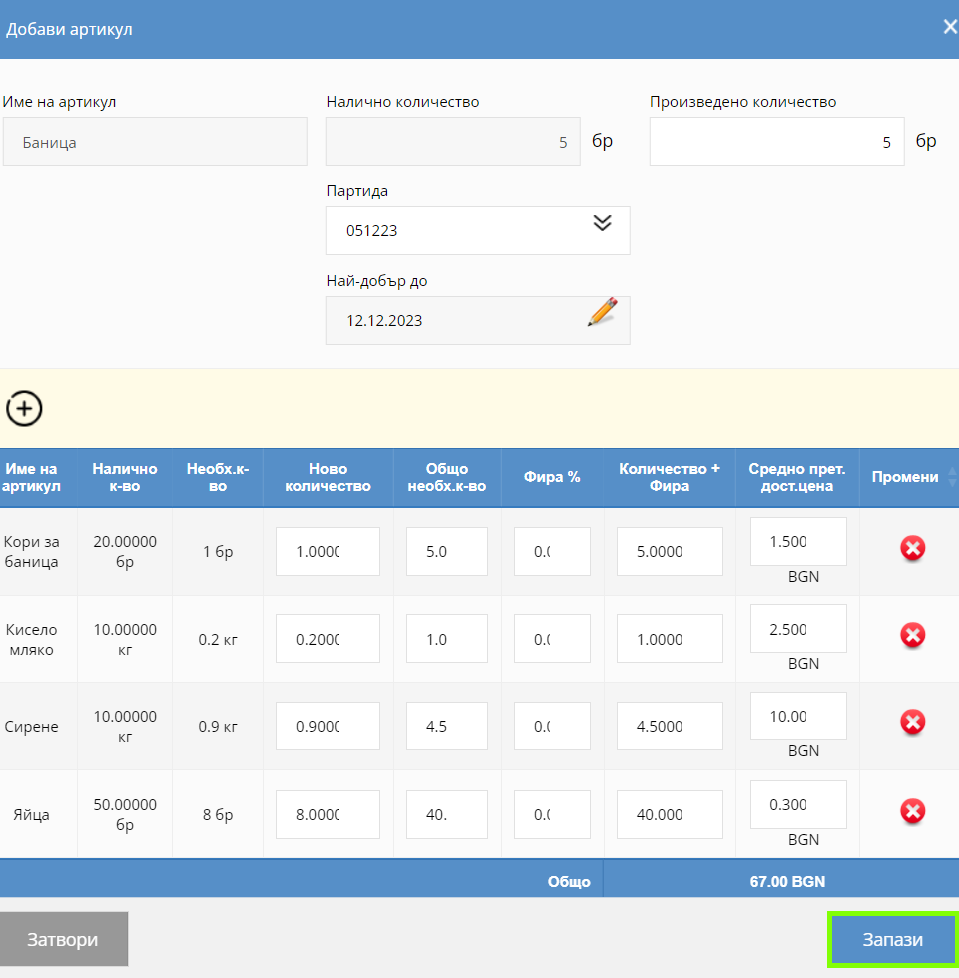
You enter the quantity produced by you in the field "Manufactured quantity". The system will calculate the total amount used of each ingredient (the "Total Amount Required" column) as well as their total cost. If the item has a batch and expiration date, add them in the appropriate fields. Quantity and Fira fields are open for editing when changing the original recipe.

Production overview
In the production review, the total and unit price of the item is calculated at cost price including VAT.

List of productions, production map and protocols
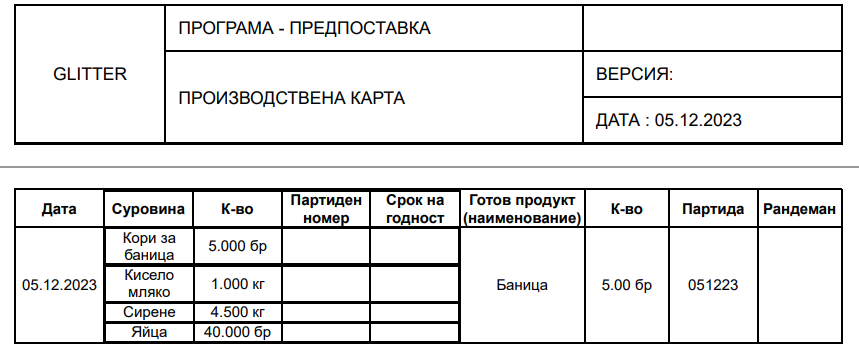
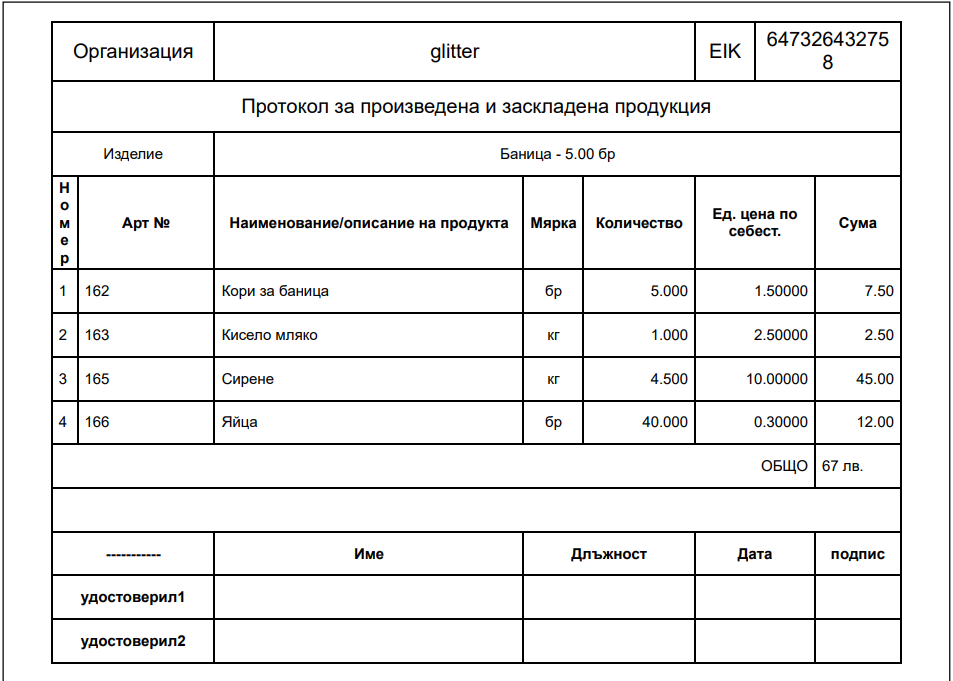
The list of productions can be found under the "Production" menu. There you have access to edit, cancel and review the production, as well as a set of protocols and documents, such as "Production card", "Protocol for manufactured and stored products", "Fira protocol" and others.