
Home / User guide / stocktake by item
Stocktakes by item
report "stocktake by Item" is available in reports panel, menu "By Items"
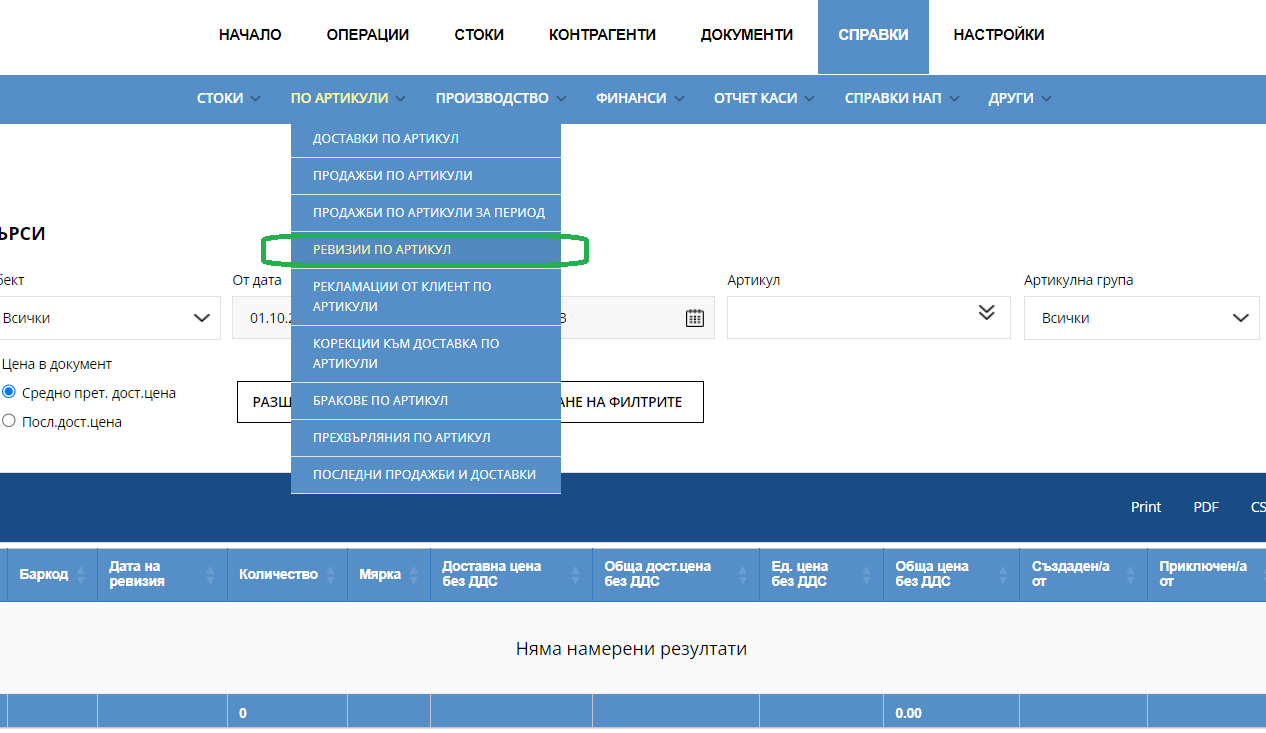
It gives information about every stocktake made to an item so far. Provides an easy search option by selecting various filters such as: location, time range from date to date, item, item group, price from, price to, username /in Latin/. Additional criteria option /Advanced search/: from date to date of creation, from hour to hour of creation.
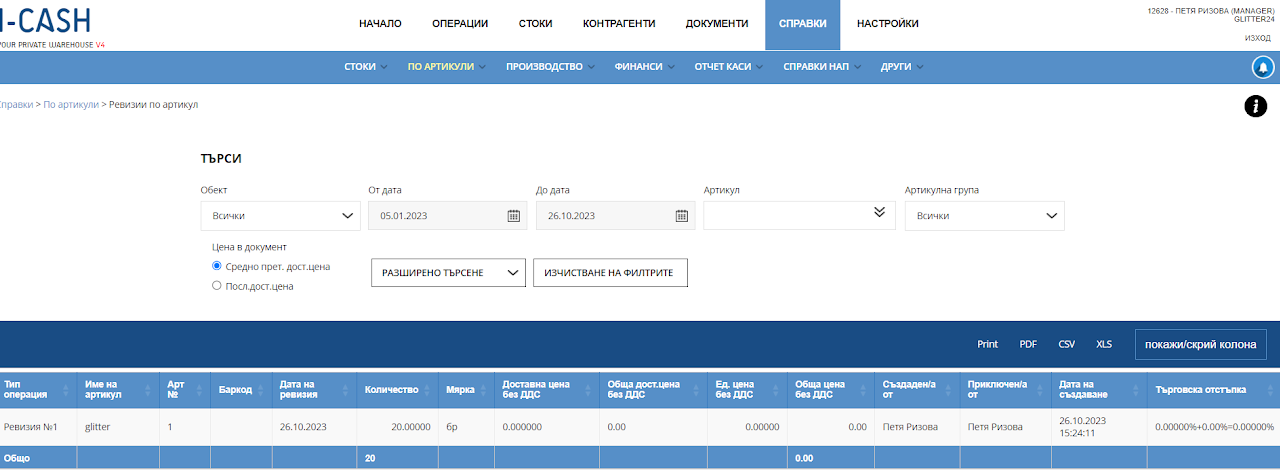
They can be tracked by the following parameters:
Type of operation
Item
Item number
Date of stocktake
Quantity
Measure - unit of measurement
Total purchase cost excluding VAT - The total purchase cost for this item to date, excluding VAT.
Unit price excluding VAT – purchase prices per item, excluding VAT.
Total price excluding VAT – Total price value of this item quantity, excluding VAT.
Creation date
Trade discount