
Home / User guide / Movement of goods (general report)
Movement of goods (general report)
report "Goods movement (general report)" is available in reports panel, menu "Commodities"
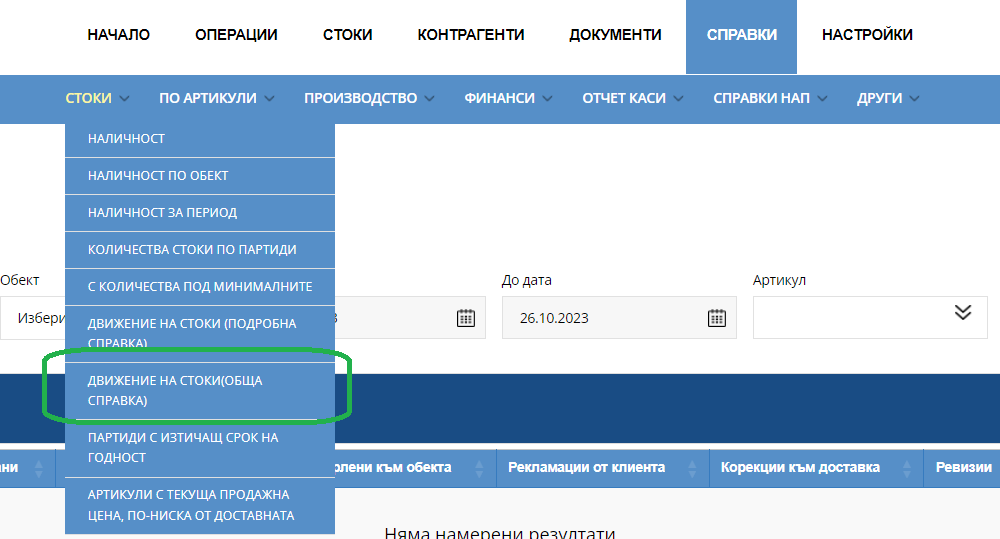
The report presents all movements of goods in the specified location and their total quantity.
Provides the possibility of an easy search, by selecting a filter by multiple criteria: location, time range from date to date, item;
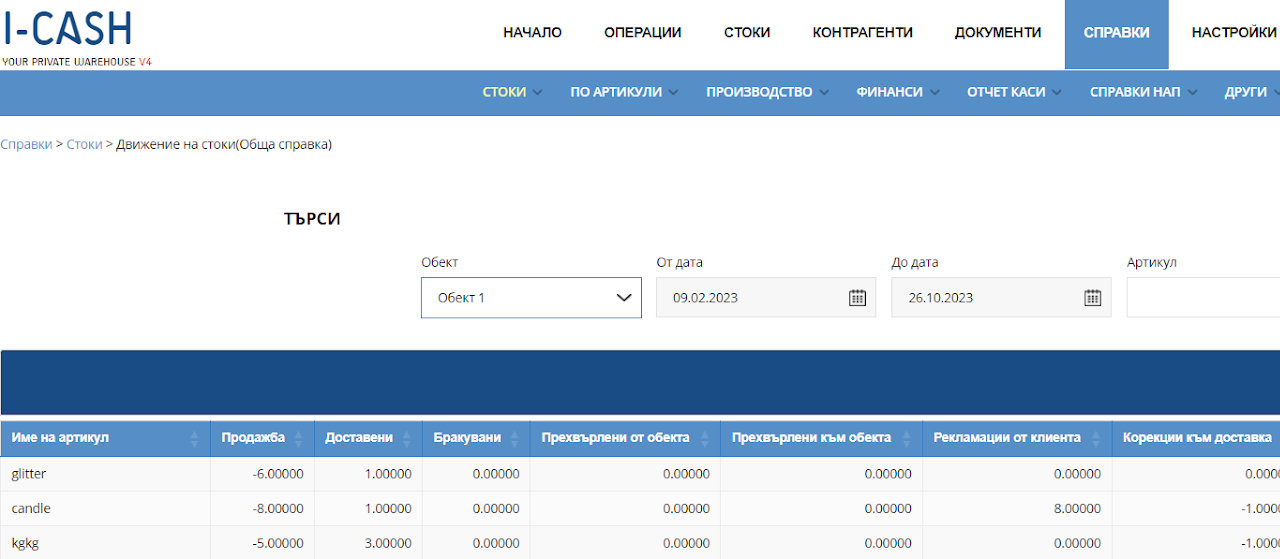
It represents the systematic movement of goods according to the following indicators:
Item
Sale - the quantity sold in the given location is displayed in the report with a negative sign
Delivered
Rejected
Transferred from the location - the amount transferred from the location is displayed in the report with a negative sign
Transferred to the location
customer returns from the customer
Adjustments to delivery
stocktake
Total in the warehouse - availability of the product in the given location at the time of the report