
Home / User guide / Availability
Stock on hand
Inventory report available in reports panel, Items menu
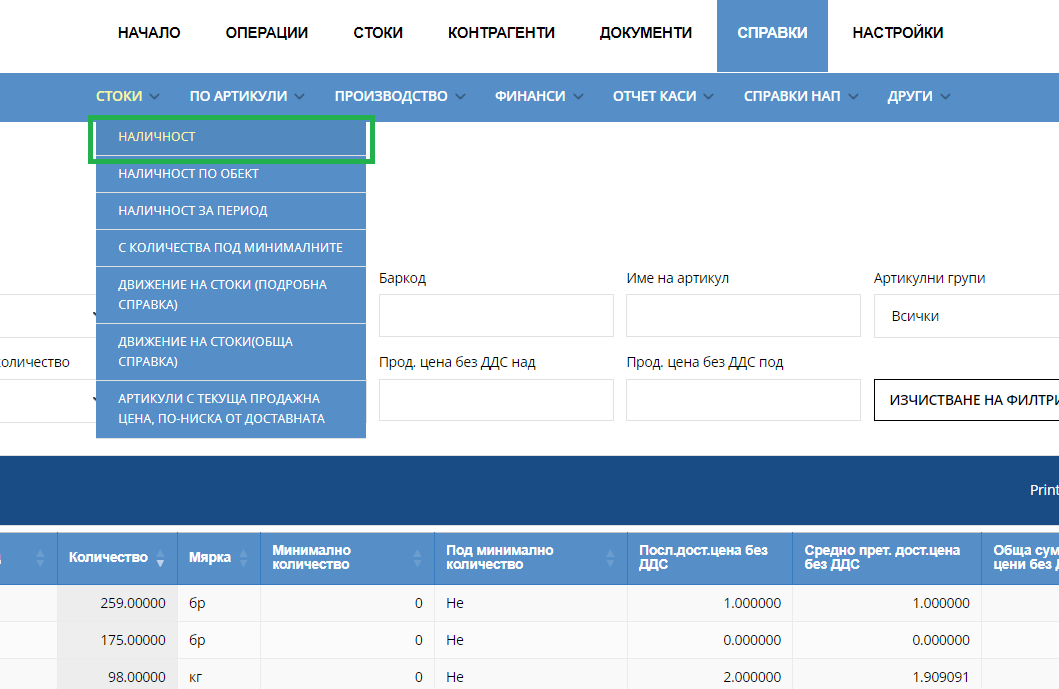
Provides the possibility of an easier search, by selecting a filter by multiple criteria - location, item number, barcode, item, item group, below minimum quantity*, items with quantities, selling price without VAT over, selling price without VAT under.
It is possible to download in different file formats - PDF, CSV, XLS;
The values in the table are organized into columns. The "show/hide column" button controls their visibility.
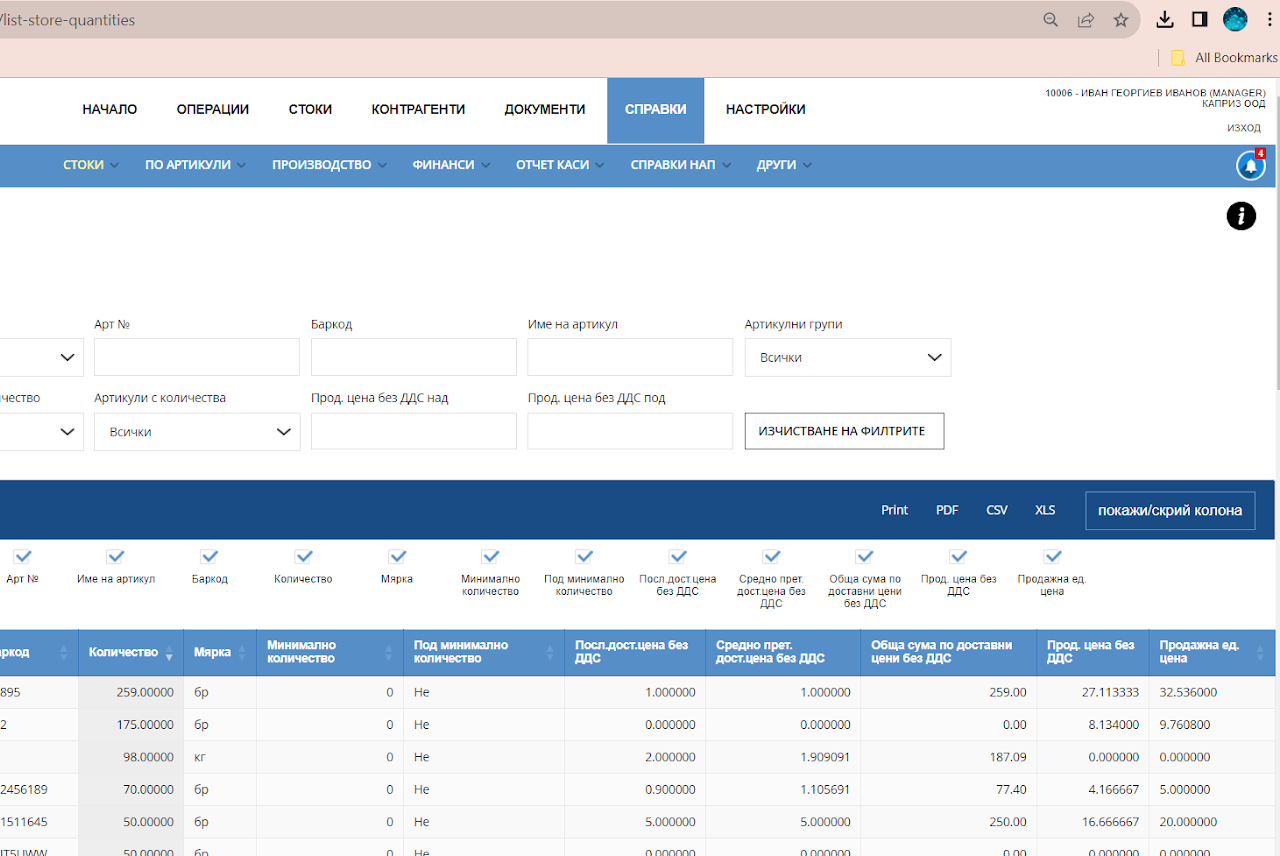
The report provides the following parameters:
Location
Item number
Item
Barcode
Quantity
Unit of measurement
Minimum quantity - minimum allowable quantity of an item. Below minimum quantity* – function indicating whether the specified minimum quantity condition is met.
Last purchase prices excluding VAT - the last price that was paid for the delivery of a unit of an item.
Weighted average purchase prices excluding VAT. The price is formulated as an arithmetic average, based on all purchase prices of the given item.
Total amount at purchase prices excluding VAT - The delivery value of the quantity we hold. It is calculated as the product of the available quantity and the weighted average purchase prices excluding VAT.
Sales price without VAT - Single sales price without VAT.
Selling unit price-Unit price with VAT.