
Home / User guide / With quantities below the minimum
With quantities below the minimum
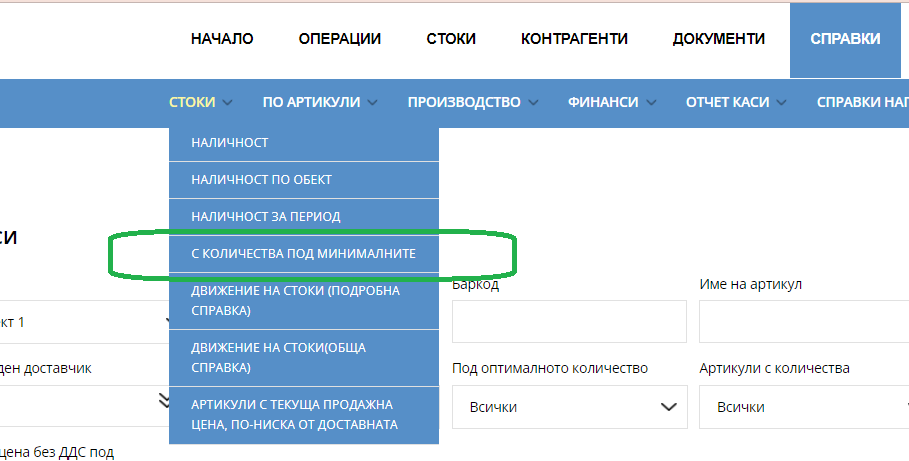
report "With quantities below minimum" is available in reports panel, Items menu
The report makes it easy to track the stock availability of a selected item against minimum and optimum values.
Provides the possibility of an easy search, by selecting a filter by multiple criteria: location, item number, barcode, item, item group, last supplier, below minimum quantity*, below optimal quantity, items with quantities, sale price ex VAT over, sale price ex VAT over
Ability to save in different file formats - PDF, CSV, XLS;
The values in the table are organized into columns. The "show/hide column" button controls their visibility.
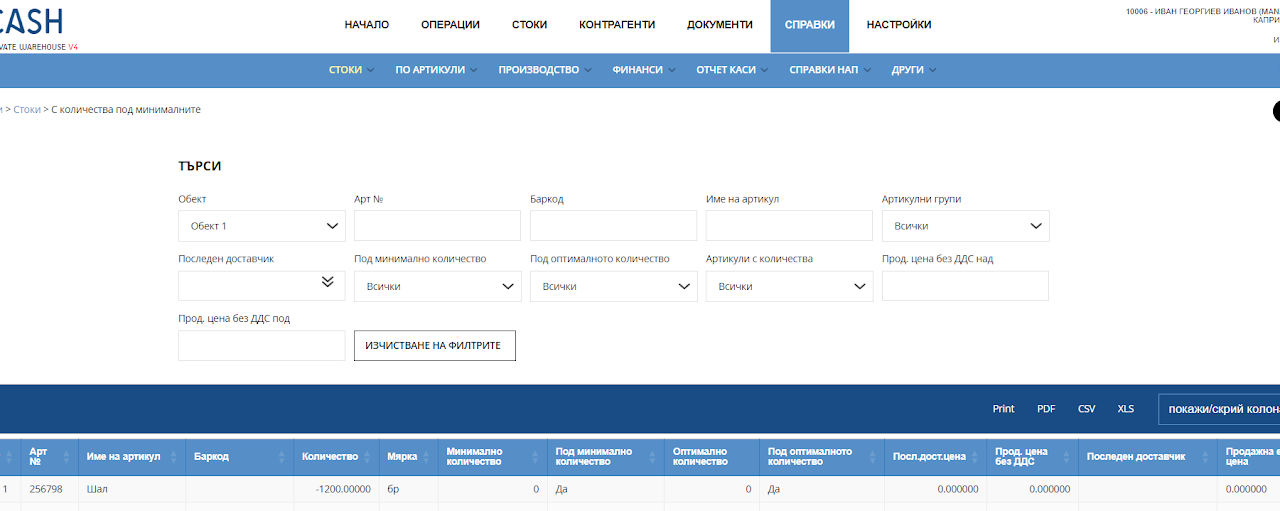
The report provides the following parameters:
Location
Item number
Item
Barcode
Quantity - available quantity of the given item
Measure – unit of measurement
Minimum quantity - minimum allowable quantity of the given item
Below the minimum amount* - Function indicating whether the condition for the minimum allowable amount is met. If no minimum quantity precondition is set, the report will display "0"
Optimum Quantity - Maximum allowable quantity of the given item
Below optimal quantity - Function indicating whether the condition for delivery below the maximum allowable quantity is met. If no precondition for maximum quantity is set, then "0" is written in the report
Last Shipping Price - The last price we paid to ship a unit of an item
Selling price without VAT - Single selling price
Last supplier - Last business partner that delivered the given goods to us
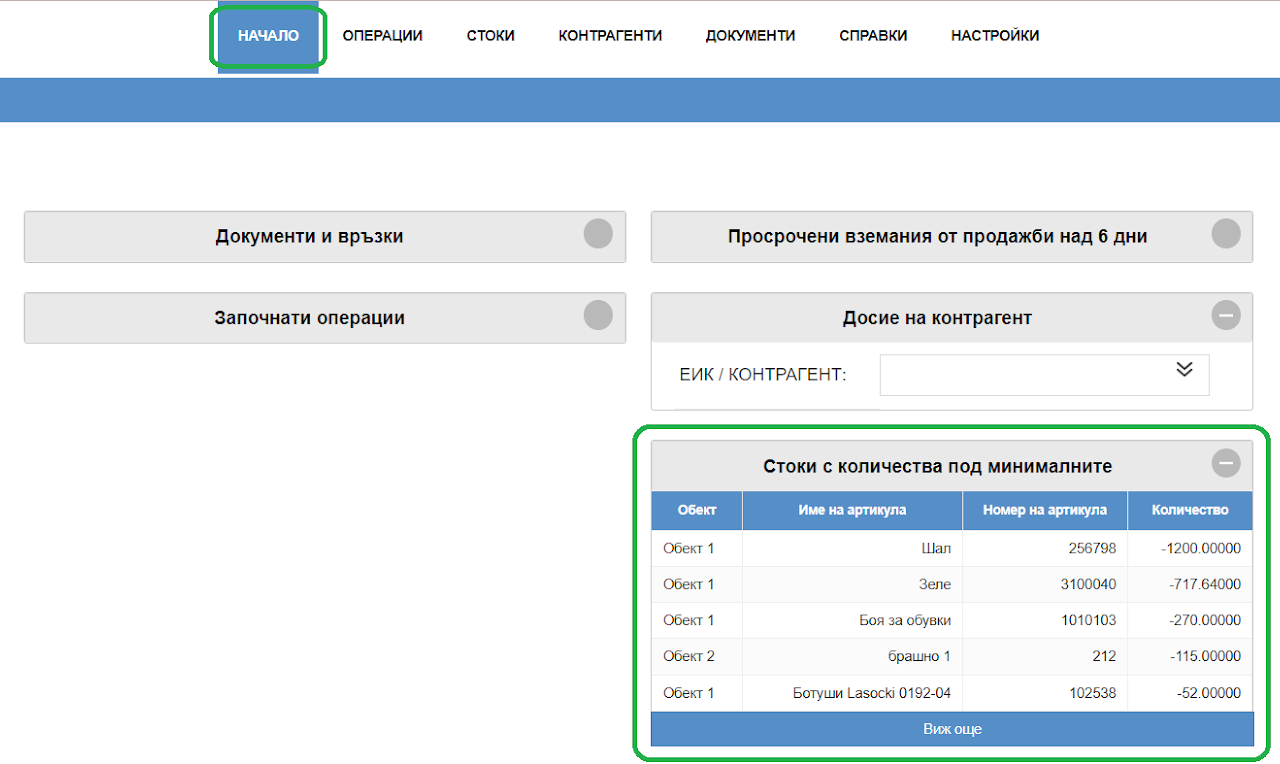
Fast tracking of minimum quantities:
On the home page of your warehouse, you will find a window that will alert you for each item that you have set a minimum quantity setting for that item.
In this way, you will be able to load faster from the goods you are missing and you will always have a reference point.