
Home / User guide / Financial statements by stands
Financial statements by stands
"Financial Statements by Stands" report is available in the "reports" panel, "Finances" menu
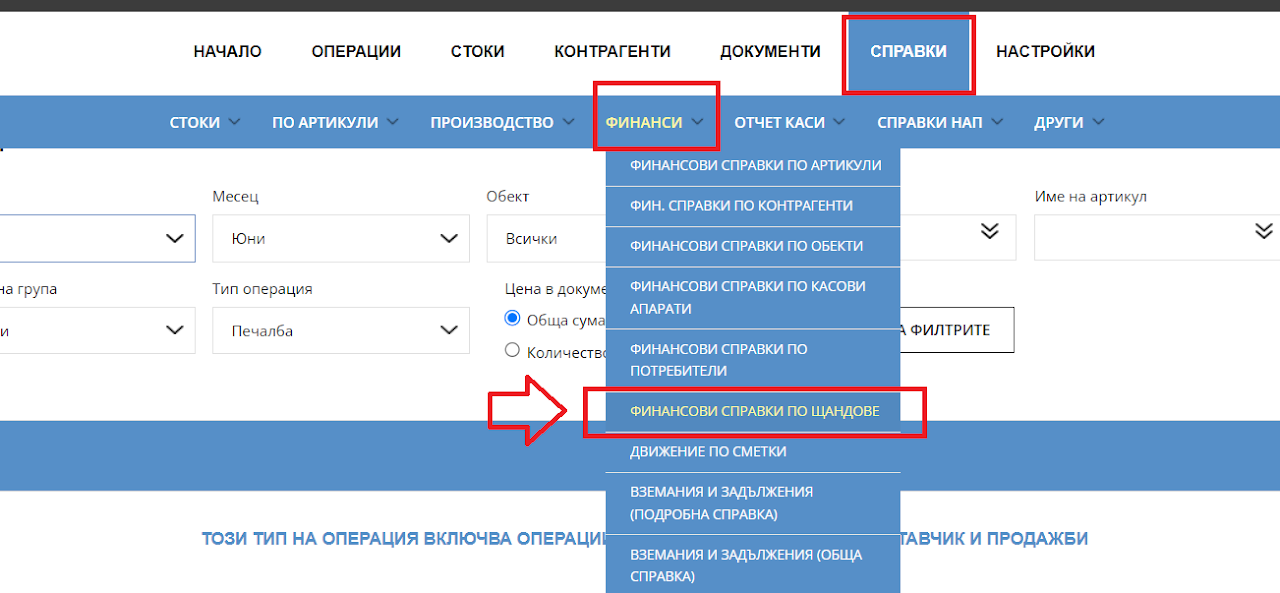
Navigation
Navigate to menu reports - Financial reports - Financial reports by Stands
This functionality is used by companies developing their activity in the field of restaurant business. The report will give you information on turnover by stands (turnover in the kitchen or at the bar, turnover by item groups). You have the option to display information about pass, cost and profit. The report can show both quantities of an item and the amount of its sales (shipments).
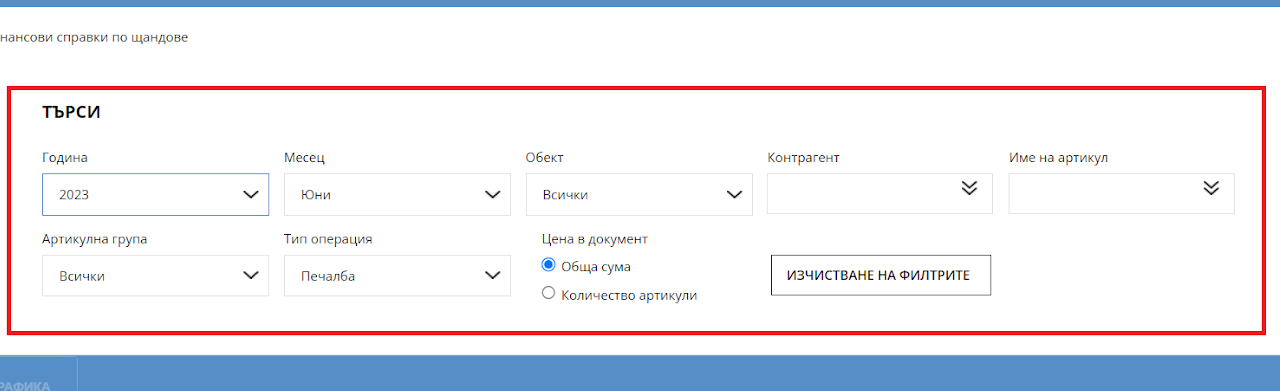
Filter
The system allows you to filter the report by several criteria: display results by year and by month. Filter by location (warehouse); movement related only to a specific business partner; selection of a certain item group and visualization of results only of items participating in this group; visualize the results by showing the profit, income or expense; show the results as a sum or as a quantity.
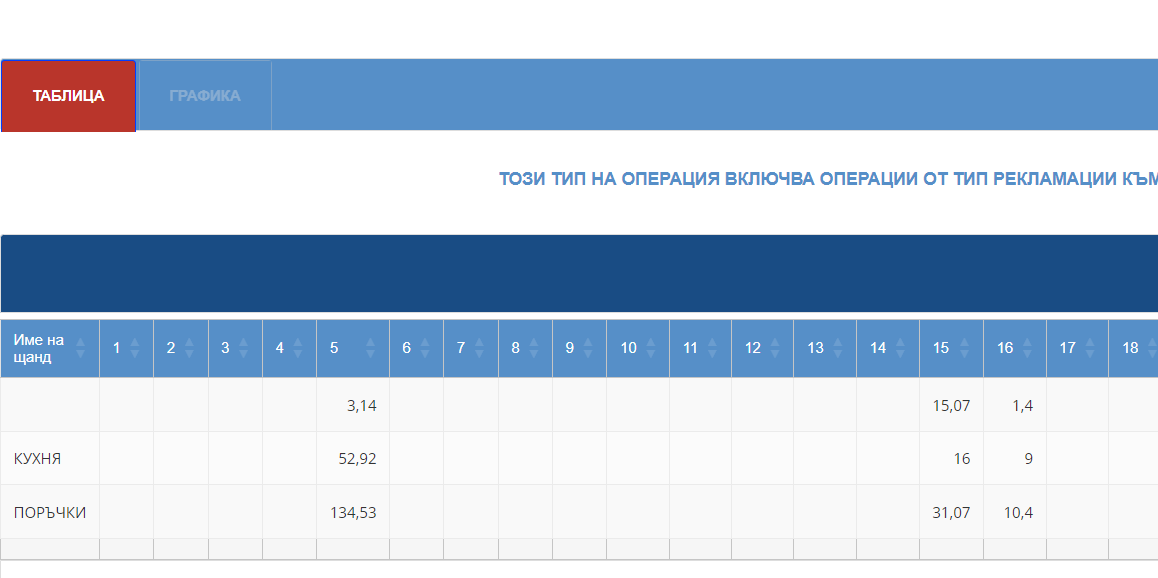
Information table
The stands (printers) are listed in the first column of the table. After that follow all the dates of the month. In each column, the daily turnover of this stand is visualized (or the total of all products that were sent (printed) to this printer). If a quantity is selected from the filter, the amounts in the report will be replaced with units with a minus sign if they are related to sales (or production) and with a plus sign if they are related to delivery (or derivatives), i.e. depending on their movement out or into the warehouse.